Pin people, places, events, and things.
Draw strings. Uncover connections.

String Theory is a visual board for the people, places, events, and things at the heart of your project, and for the strings that tie them together. See the same case as a corkboard with strings, a timeline, a map, a stack of dossiers, a media gallery, or a sourced bibliography, and view them all at once on one screen or several.

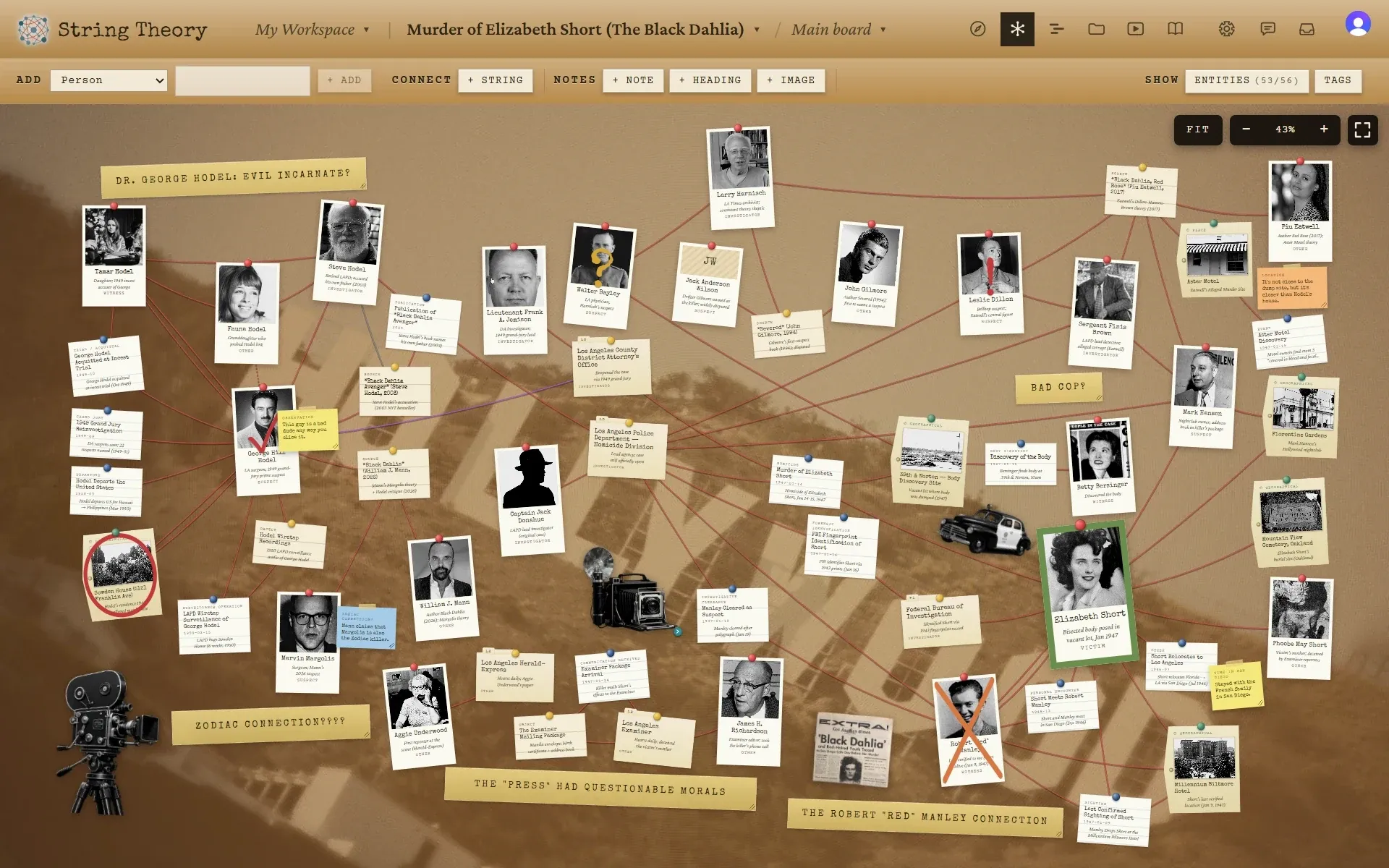
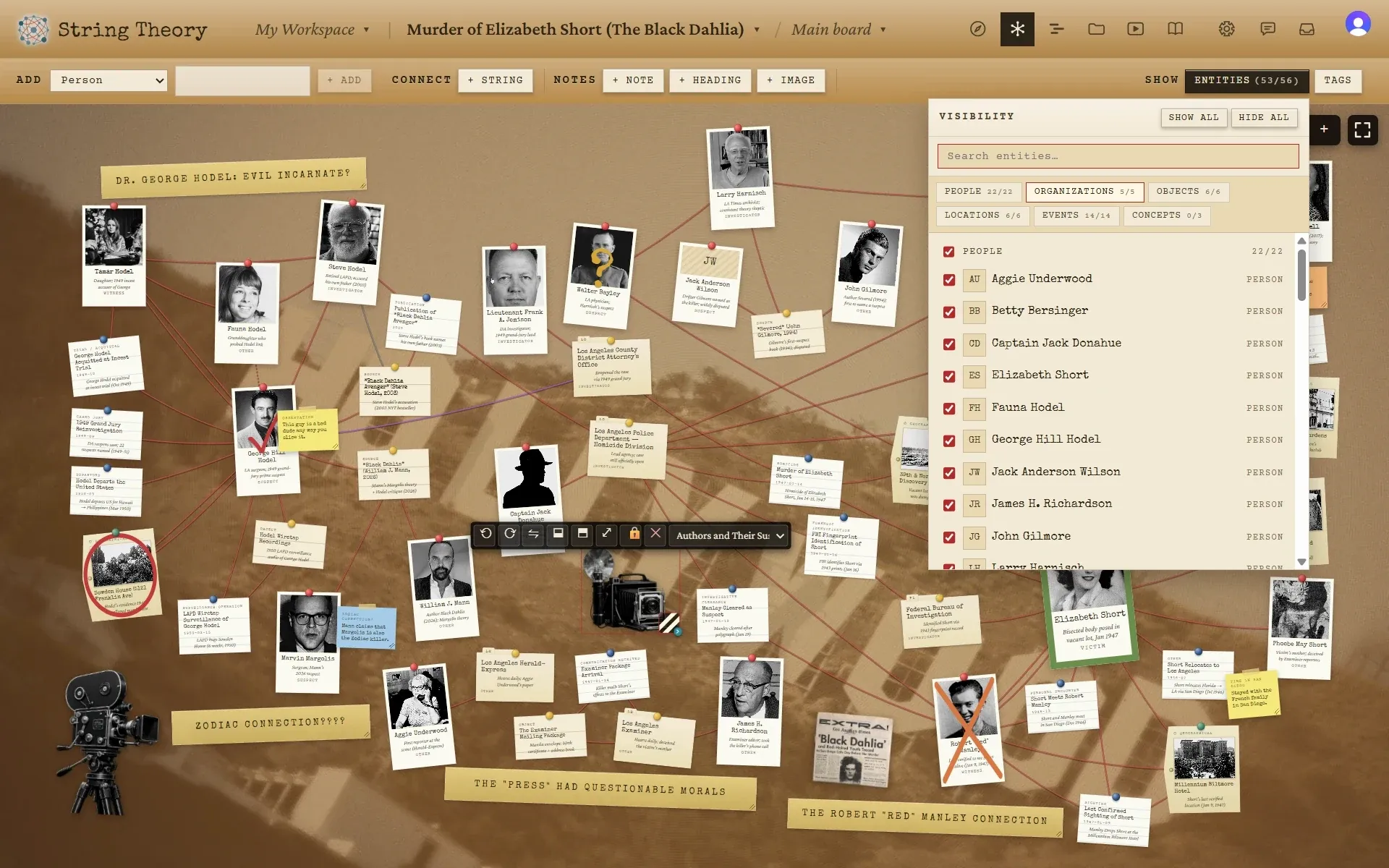
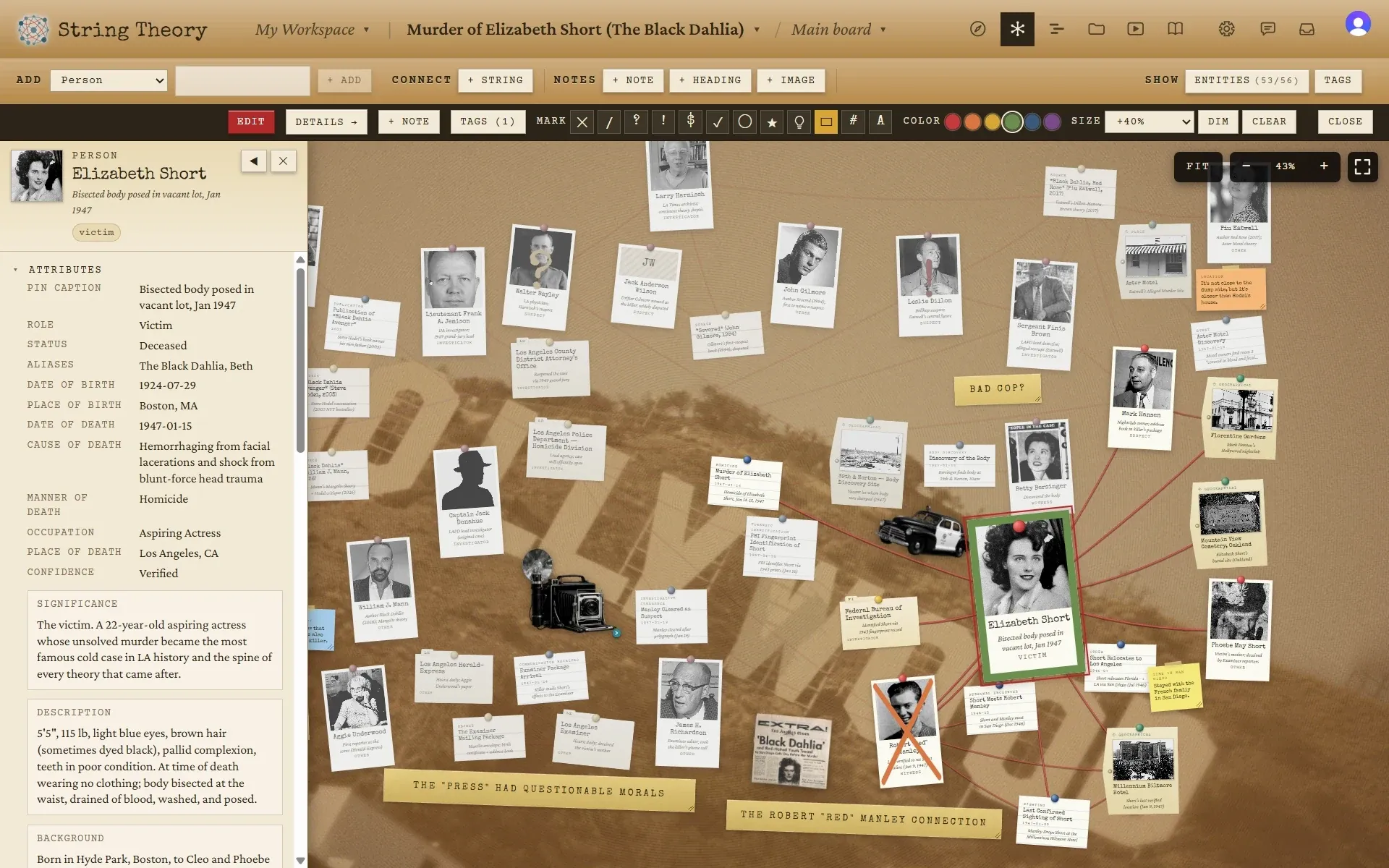
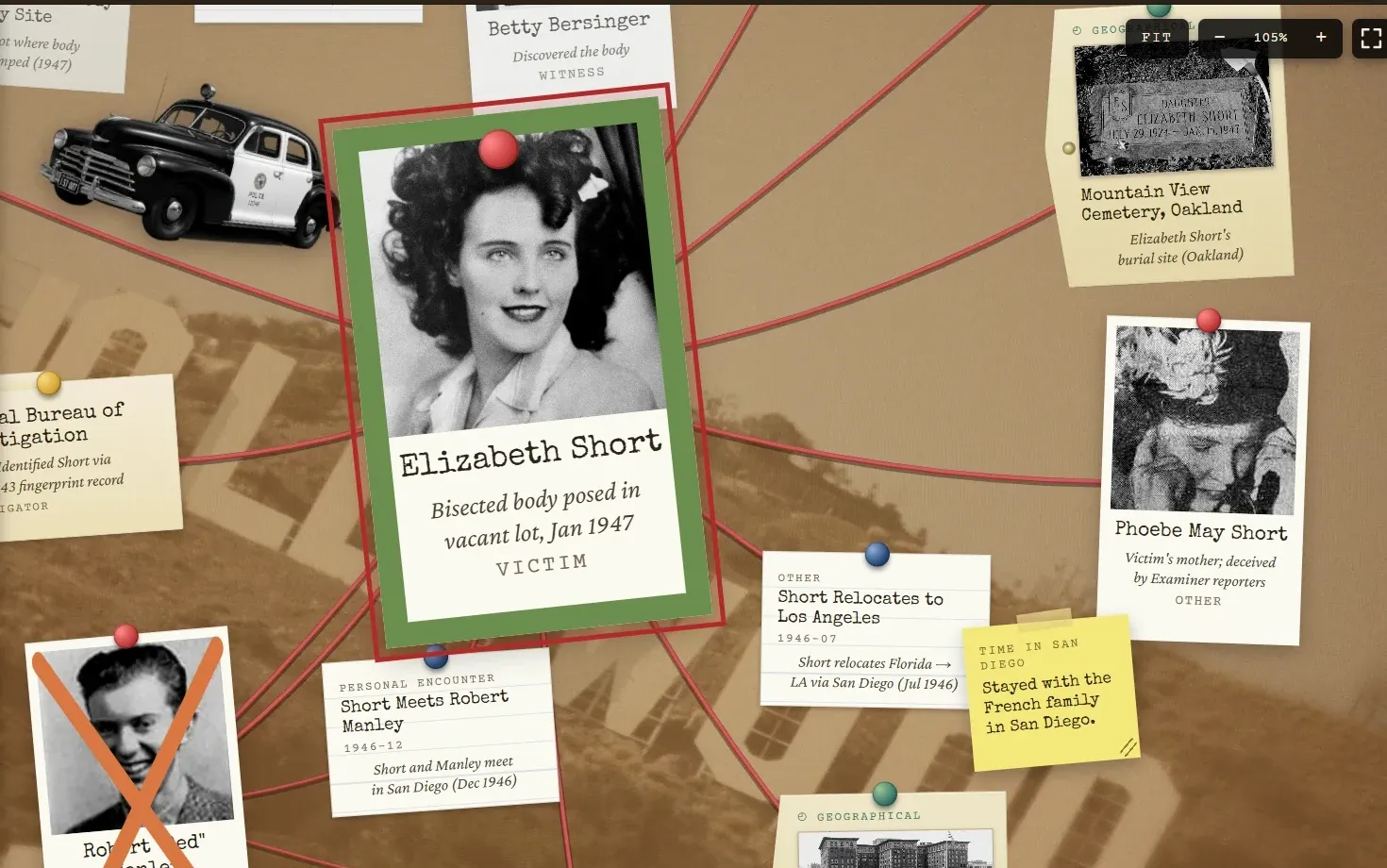
A String Theory board on the Black Dahlia case: photographs and index cards pinned to cork, connected by red string, with masking-tape headings and sticky notes.
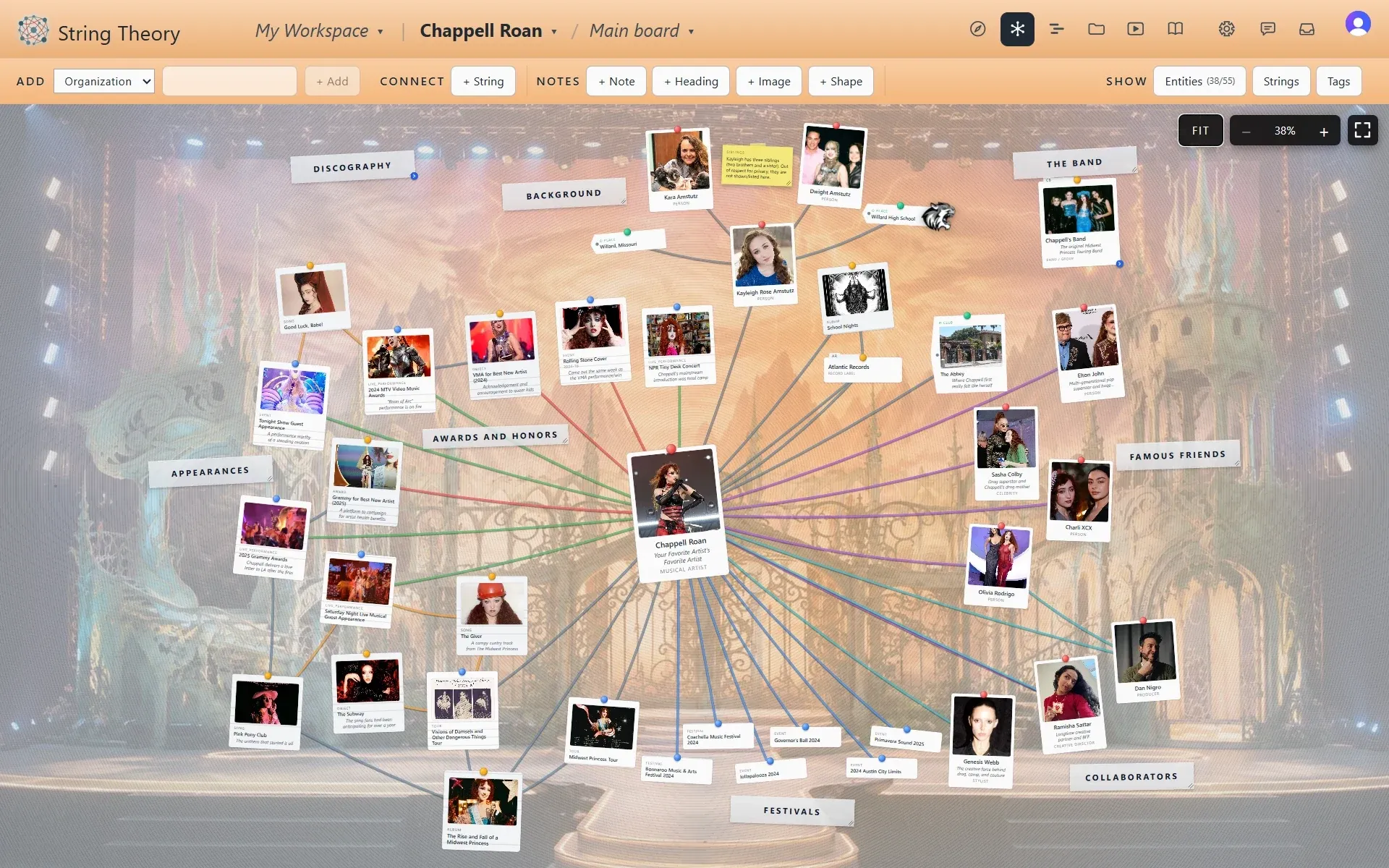
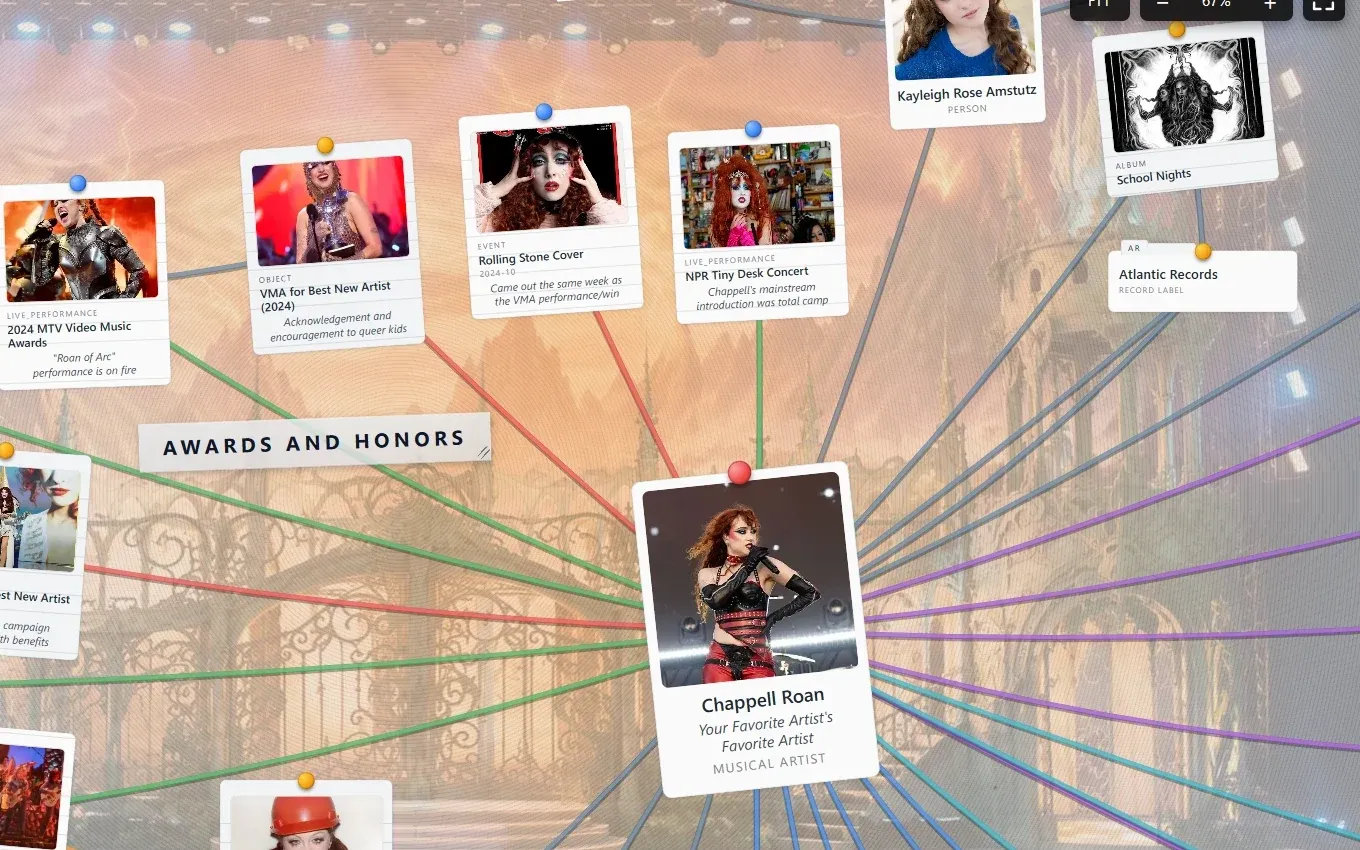
A String Theory board mapping Chappell Roan: photo cards for songs, albums, tours, and collaborators on a stage backdrop, connected by strings in several colors.
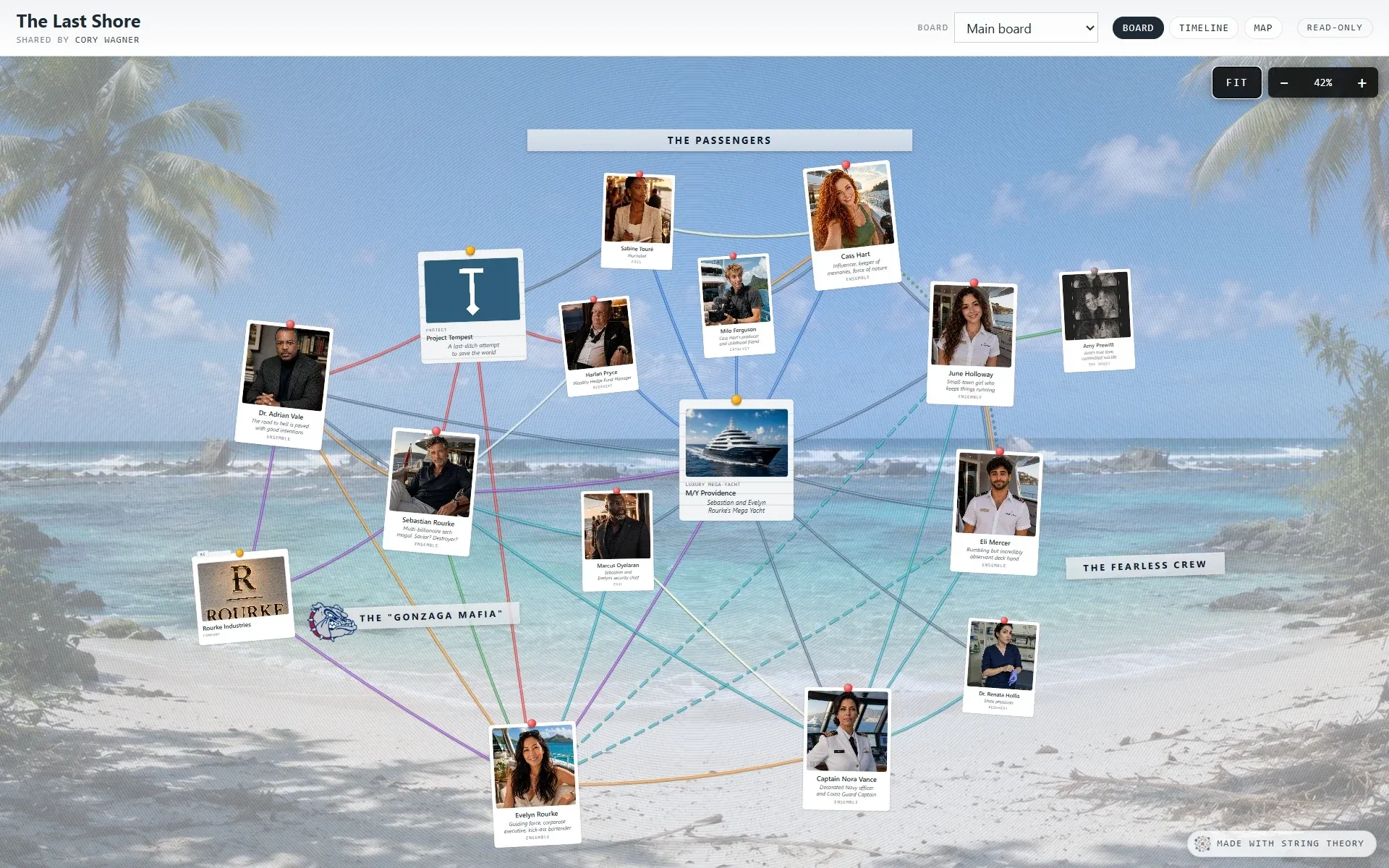
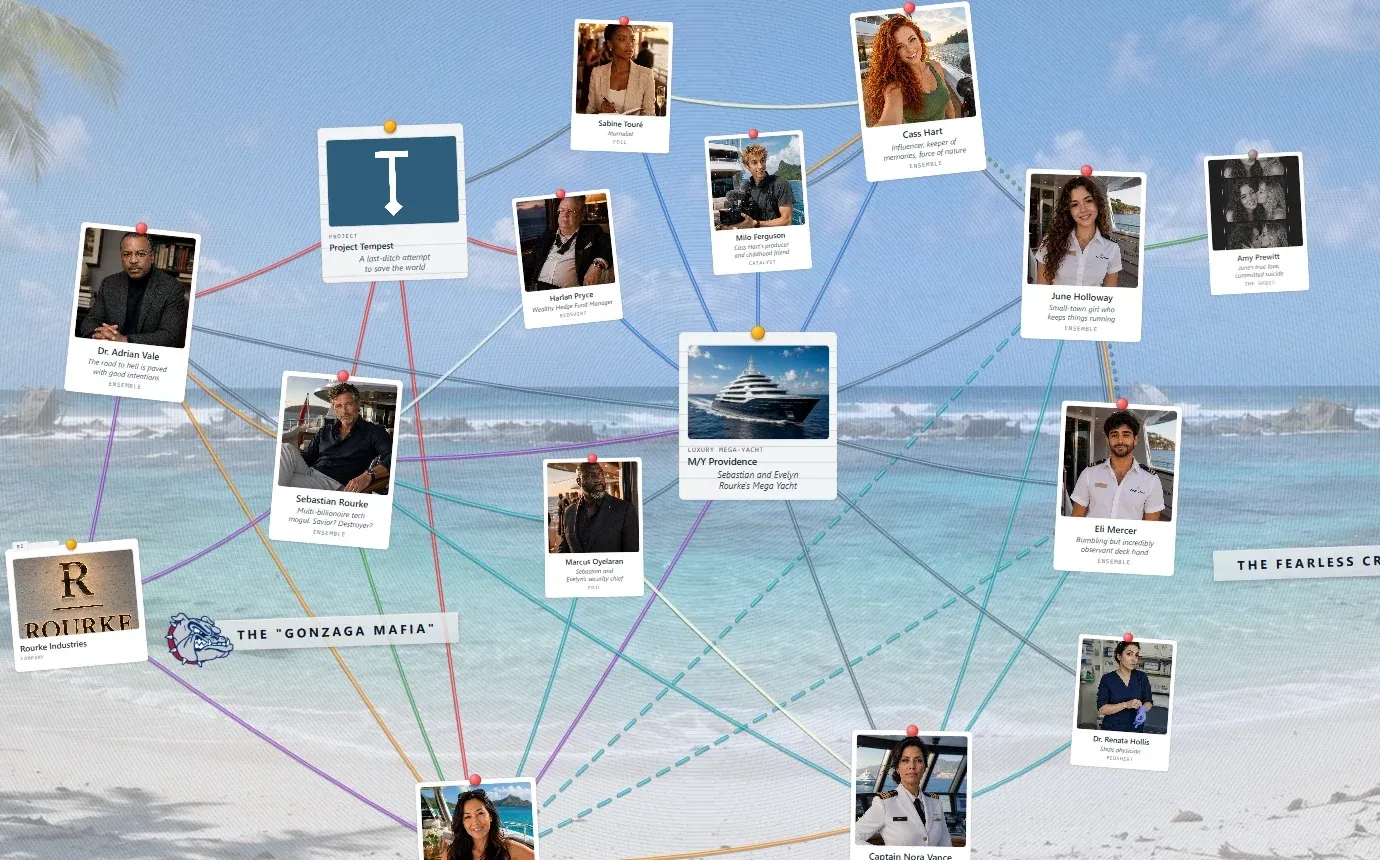
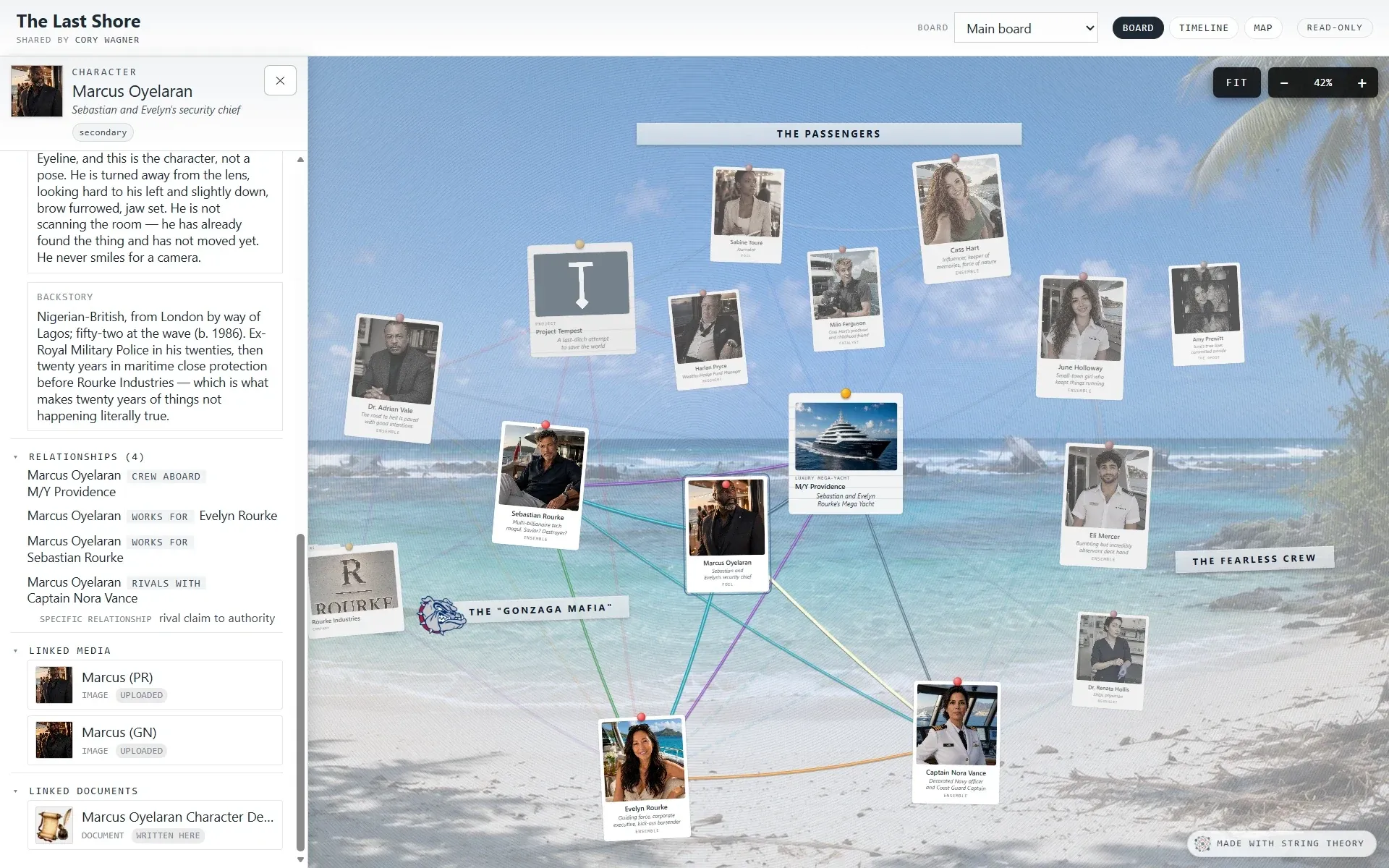
A String Theory board for the novel The Last Shore: character cards over a beach backdrop, grouped under headings for the passengers and the crew.
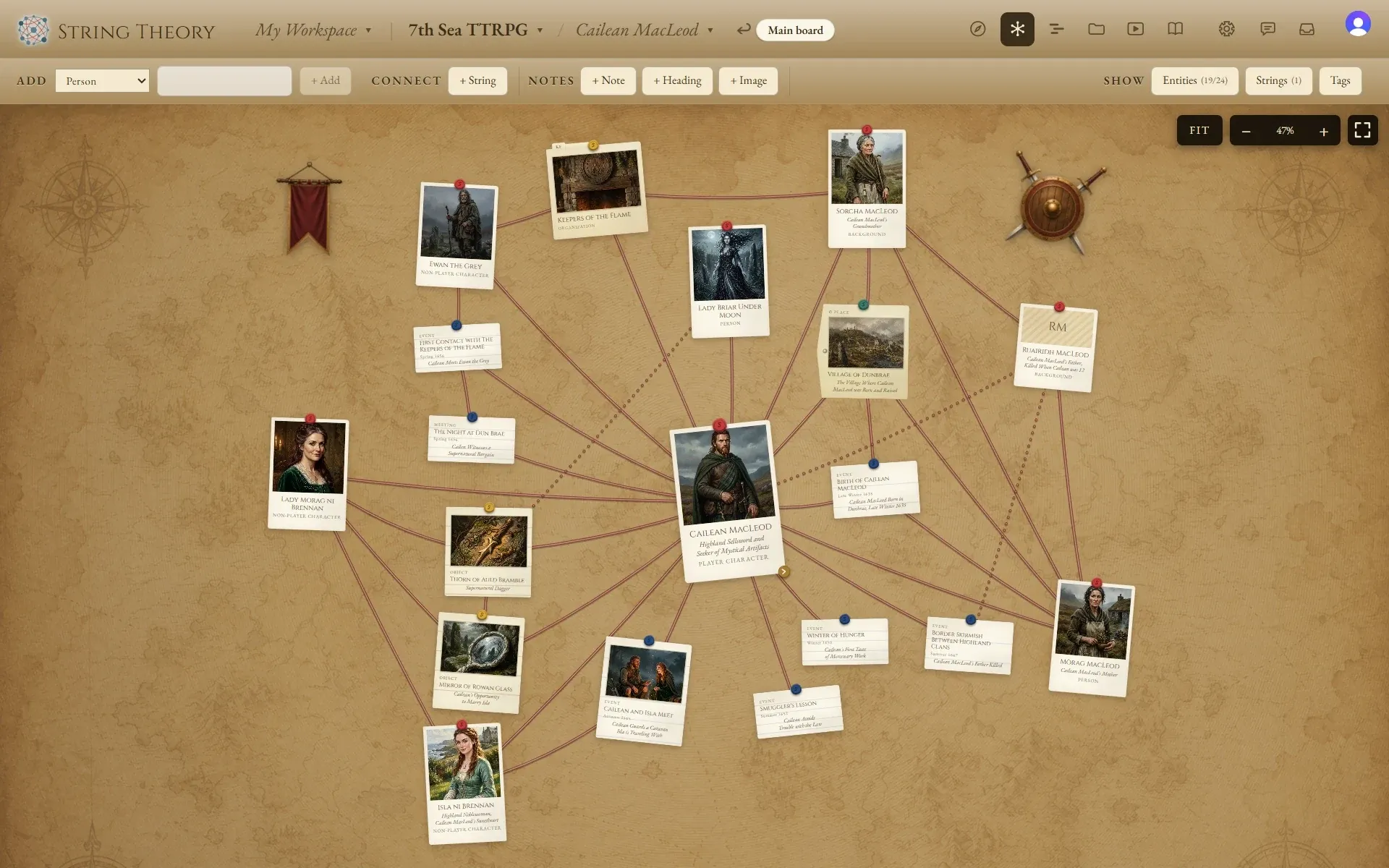
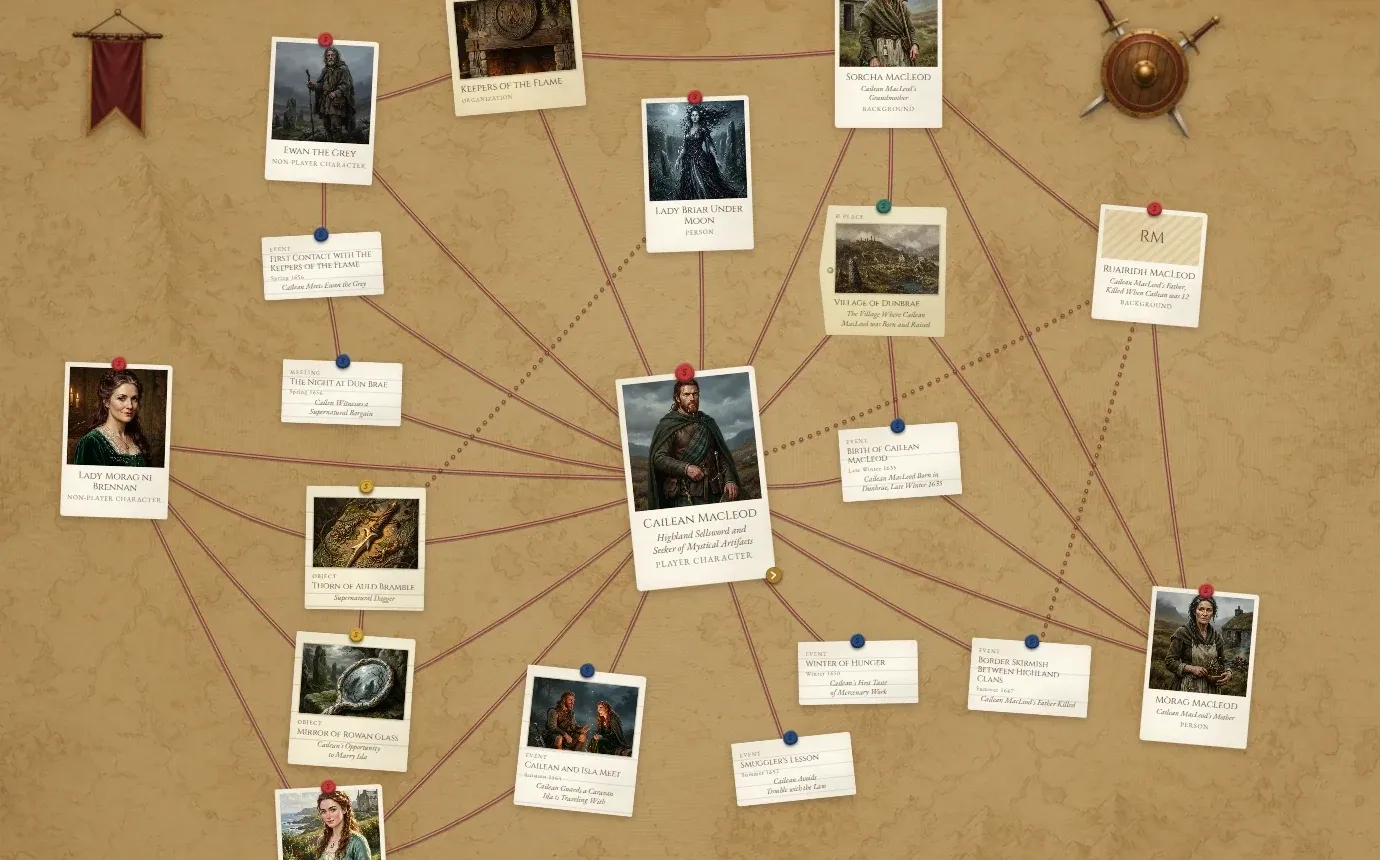
A String Theory board for a 7th Sea tabletop campaign: aged vellum cards on an old map, with a banner and a shield pinned to the board.
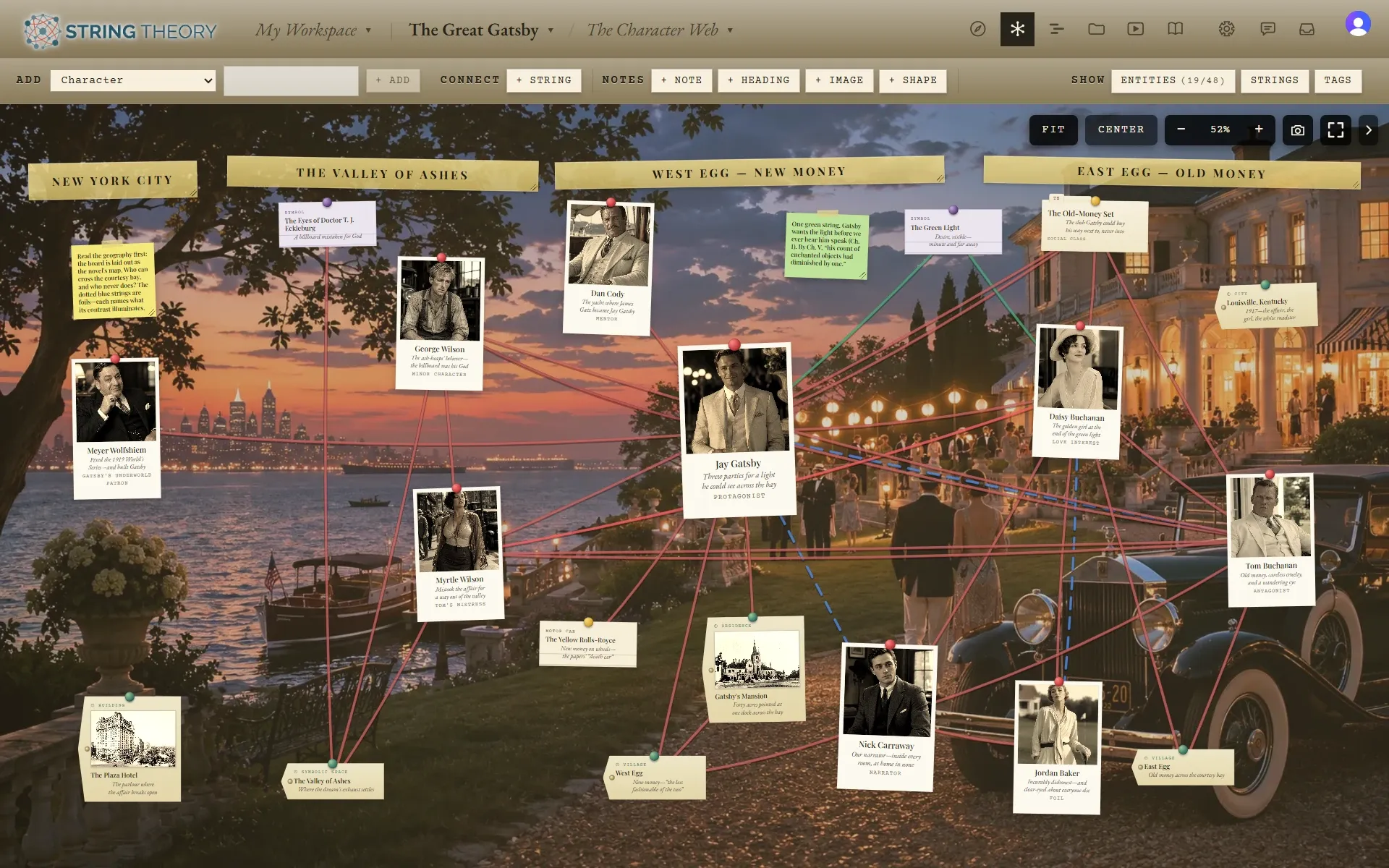
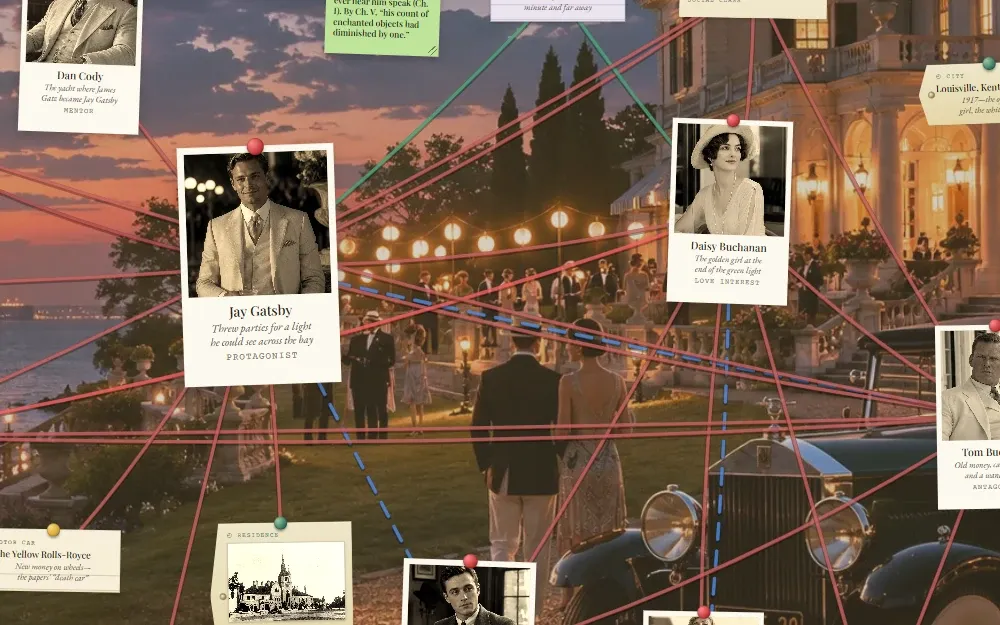
A String Theory board for The Great Gatsby: photo cards for the characters over a painting of a lawn party at dusk, grouped under headings for New York City, the Valley of Ashes, West Egg, and East Egg, and connected by strings.
A real String Board · the Black Dahlia case
Early Access

Who is it for?

Nine very different projects, one board.

Nine people, nine kinds of project, and the same tool underneath every one of them. One of these is probably close to yours.

Maya—sophomore English teacher

Book reports that aren’t book reports.

Maya is tired of book reports that read like Wikipedia. Her students build boards of the Gatsby characters instead: the parties that shape them and the relationships that drive the tragedy, with images pinned and strings drawn between them. Each student presents their findings as a board the whole class explores together.

Tom—amateur sleuth

Two years on the Black Dahlia case.

Tom’s desk is buried in books, printouts, and notes. His investigation now lives on a virtual corkboard, where every suspect, witness, scene, and date is pinned in one place with strings between whatever connects. For the first time he can see the whole case at once. When a new book lands, like William J. Mann’s Black Dahlia, it gets a board of its own.

Jess—true-crime podcaster

Months of research, receipts included.
Jess co-hosts a true-crime podcast, and each episode takes months of research spread across documents, spreadsheets, and her photographer’s camera roll. String Theory pulls it all into one board the team works on together, with every photo and every claim traced back to where it came from. When the episode artwork is due, the screenshots are already waiting, and the show-notes bibliography has been assembling itself all along.

Sara—tabletop GM

A campaign no one has to read a wiki to follow.

Sara runs a Pathfinder campaign for five regulars, with more than twenty NPCs, three rival factions, a sprawling city, and a plot arc nobody can keep straight. At the table the Navigator sits on her laptop while two monitors face the players, one showing the board and one showing media. When she clicks Cailean MacLeod, the players watch the board swing to him, his dossier open, and his portrait come up.

Daniel—modern world history teacher

Build the disaster, don’t just read about it.

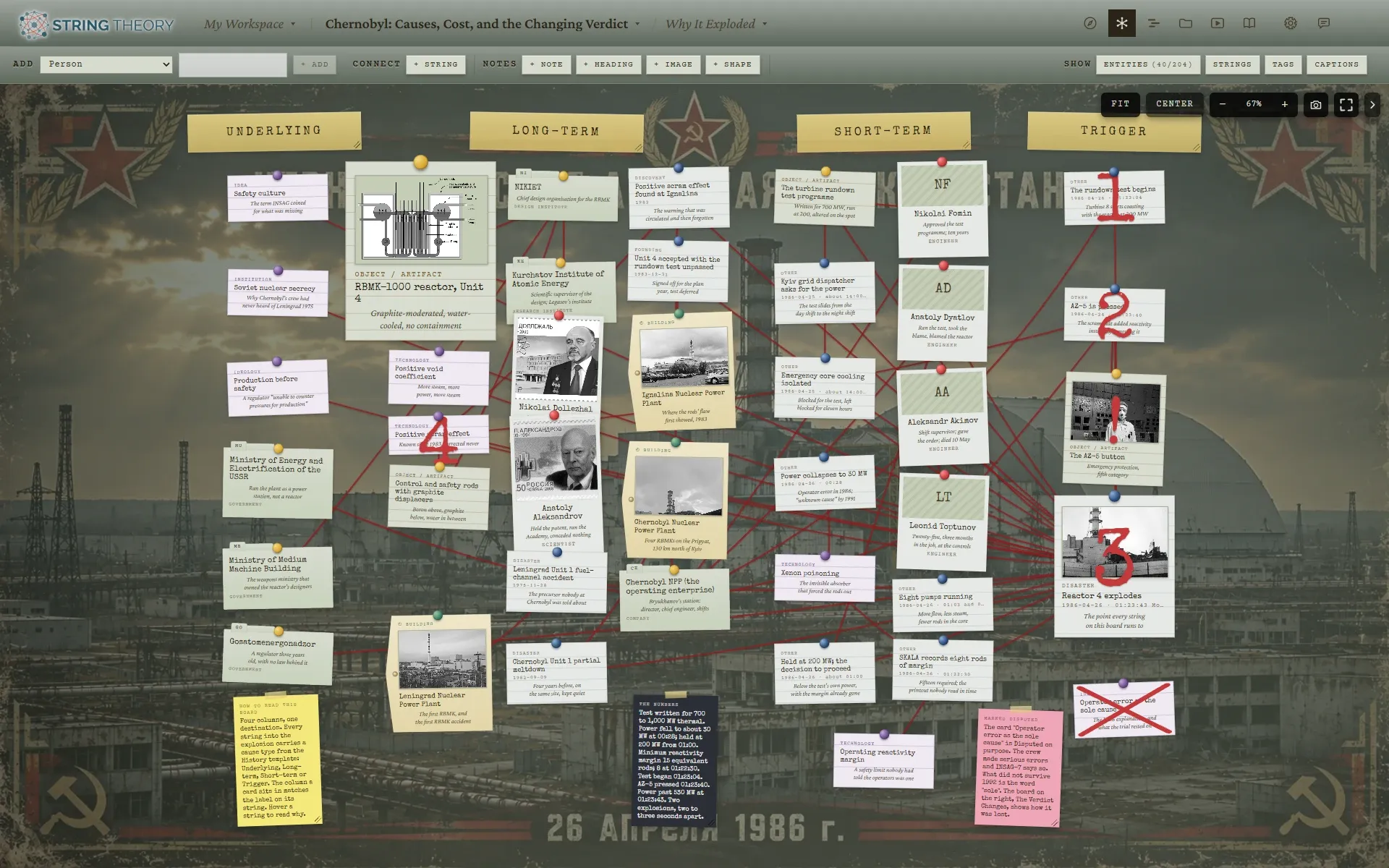
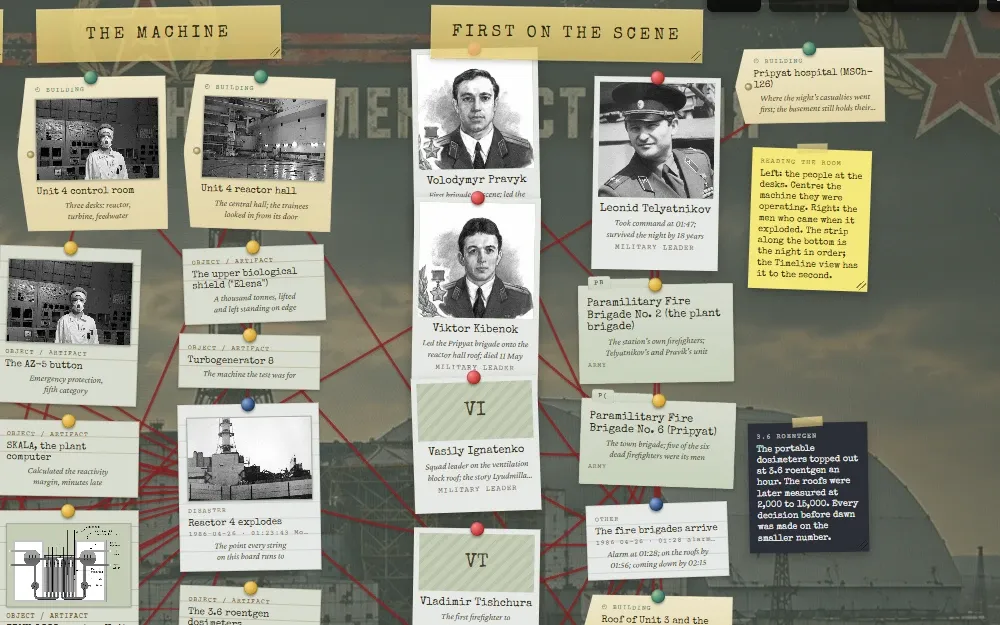
For the Chernobyl unit, Daniel’s students don’t just read about the disaster. They build it, one card at a time: the reactor team, the Soviet officials, the firefighters, the timeline of failures, and the cover-up that followed. By the end of the unit every student has a board showing how decisions, people, and events compounded into catastrophe.
Nadia—graphic novelist

Volume one has to hold together.

Nadia is plotting a graphic novel with a cast of twenty, a decade of backstory, and a reveal that only lands if nobody learns the secret too early. String Theory holds the whole volume: the cast, the locations, and who knows what and when, so the continuity stays straight across every issue. The same board would work for a screenplay, a series bible, or a trilogy.

Priya—book club host

The board everyone reads before Thursday.

Priya hosts a book club working through a long Russian novel, and half the group has lost track of who is who by chapter twelve. One board of the cast and their tangled relations, published as a read-only link, fixes that. Members explore it from the couch without knocking anything loose, and Thursday starts with the argument instead of the recap.

Kai—superfan and archivist

The fan wiki, minus the wiki.

Kai has followed the same band since the first EP. String Theory holds the whole story, with boards for the early years, the band members, the collaborators, and every tour, festival, and late-night TV spot. The media gallery fills up with clips, set lists, and photos, every one of them sourced. Then Kai publishes it, and the rest of the fandom finally has somewhere to look.

The Reyes family—murder-mystery night

The case board for kitchen-table sleuths.

Every other Friday a murder-mystery box arrives, and the family spends the evening figuring it out together. Each person pins a suspect, drops in clues as they find them, and argues about who did it, while the strings between alibis and motives draw themselves as the case unfolds.

How does it work?

Six ways to look at the same case, on one screen or spread across as many as you've got.

Some people think in timelines, some see relationships, and some hunt for clues in the photos. String Theory gives you six ways to look at the same case and lets you watch them side by side.

On a single laptop, the views are one click apart. Open more windows and you can arrange them across two monitors, three, or however many you've got, or throw the String Board up on a classroom display or a podcast studio wall. The views stay in sync wherever they are. When someone clicks a suspect in the Navigator, the timeline jumps to where they appear, the String Board zooms to them, the Dossier swaps to their case file, and the Media gallery surfaces their photos. The same case, six ways, watched together.

Every screenshot below is the same board: the Black Dahlia case.

  1. The String Board: photo and index cards pinned across a corkboard, connected by a web of red string, with masking-tape headings and a few props.
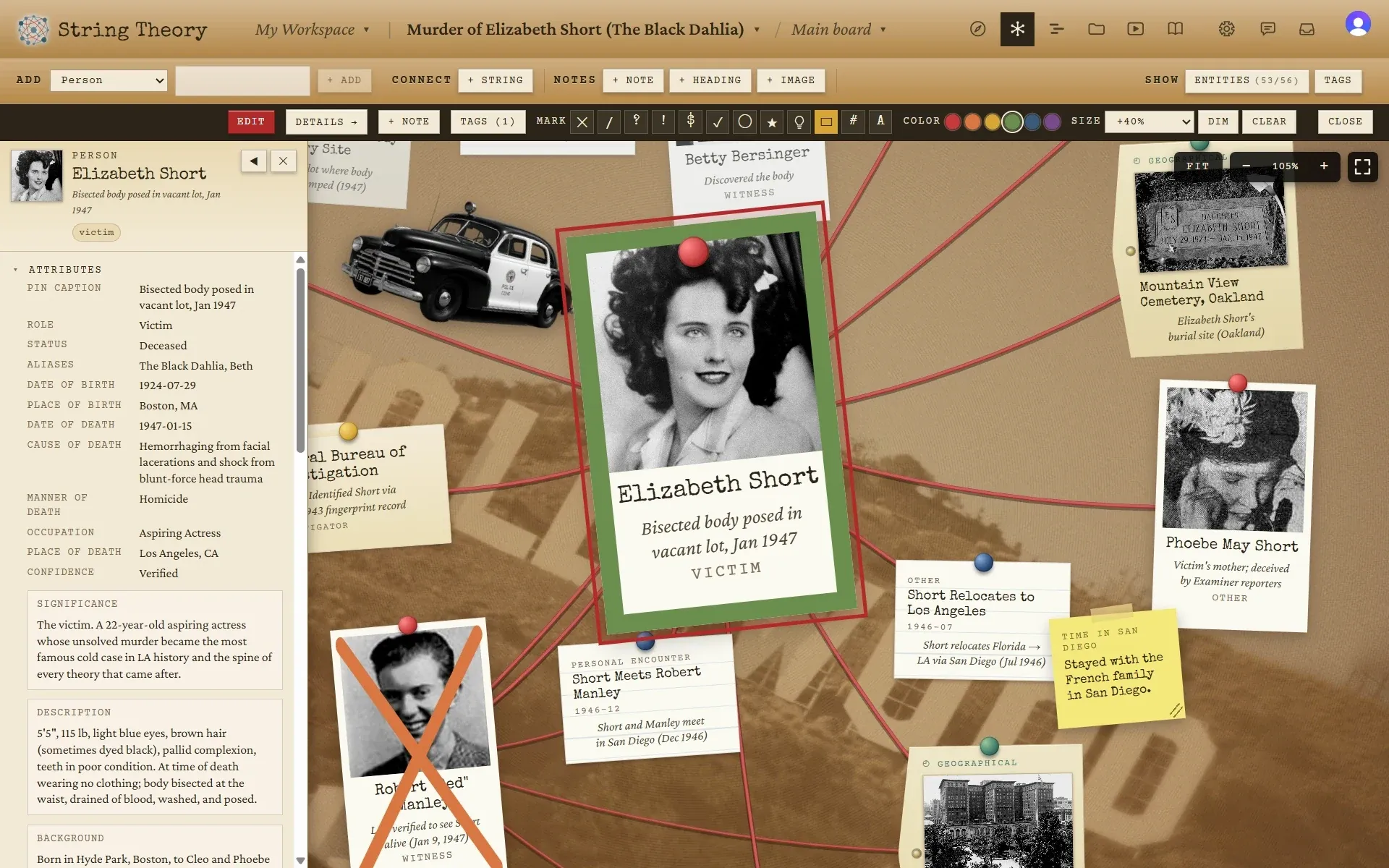
    A close view of the board with a yellow sticky note being written next to a photo card of Elizabeth Short.
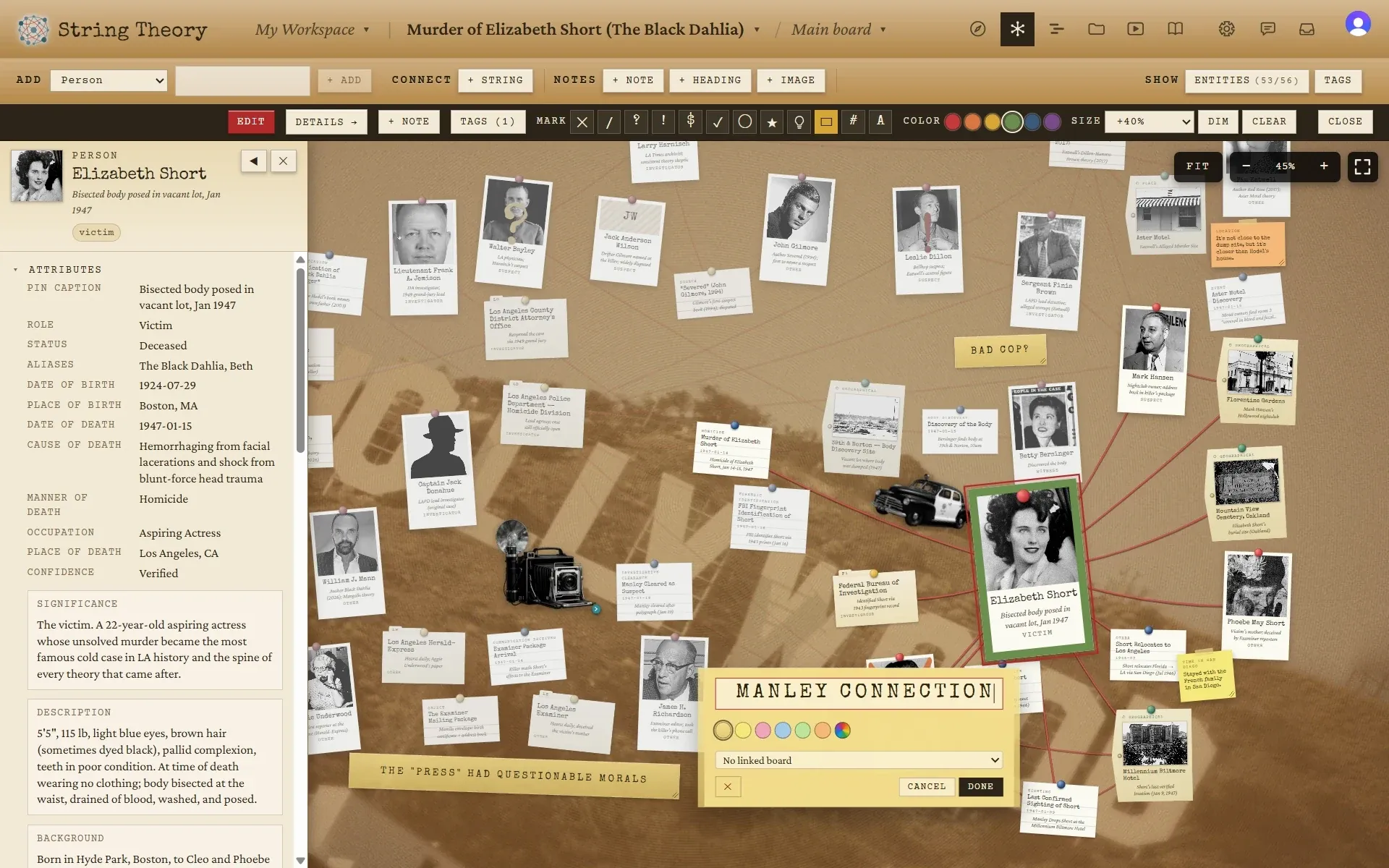
    The board with a heading editor open reading “Manley connection” and a dossier panel for Elizabeth Short on the left.
    The board with a side panel listing every entity by kind, each with a checkbox, and counts per kind.
    The whole wall at a glance

    String Board

    This is the literal corkboard, with photos pinned and string between everything that connects. Drag cards around, color-code the strings, stamp a card as ruled out or worth a second look, and pin sticky notes and masking-tape headings. Each board chooses which cards are on its wall at all.

    The view for when you want to feel the case.

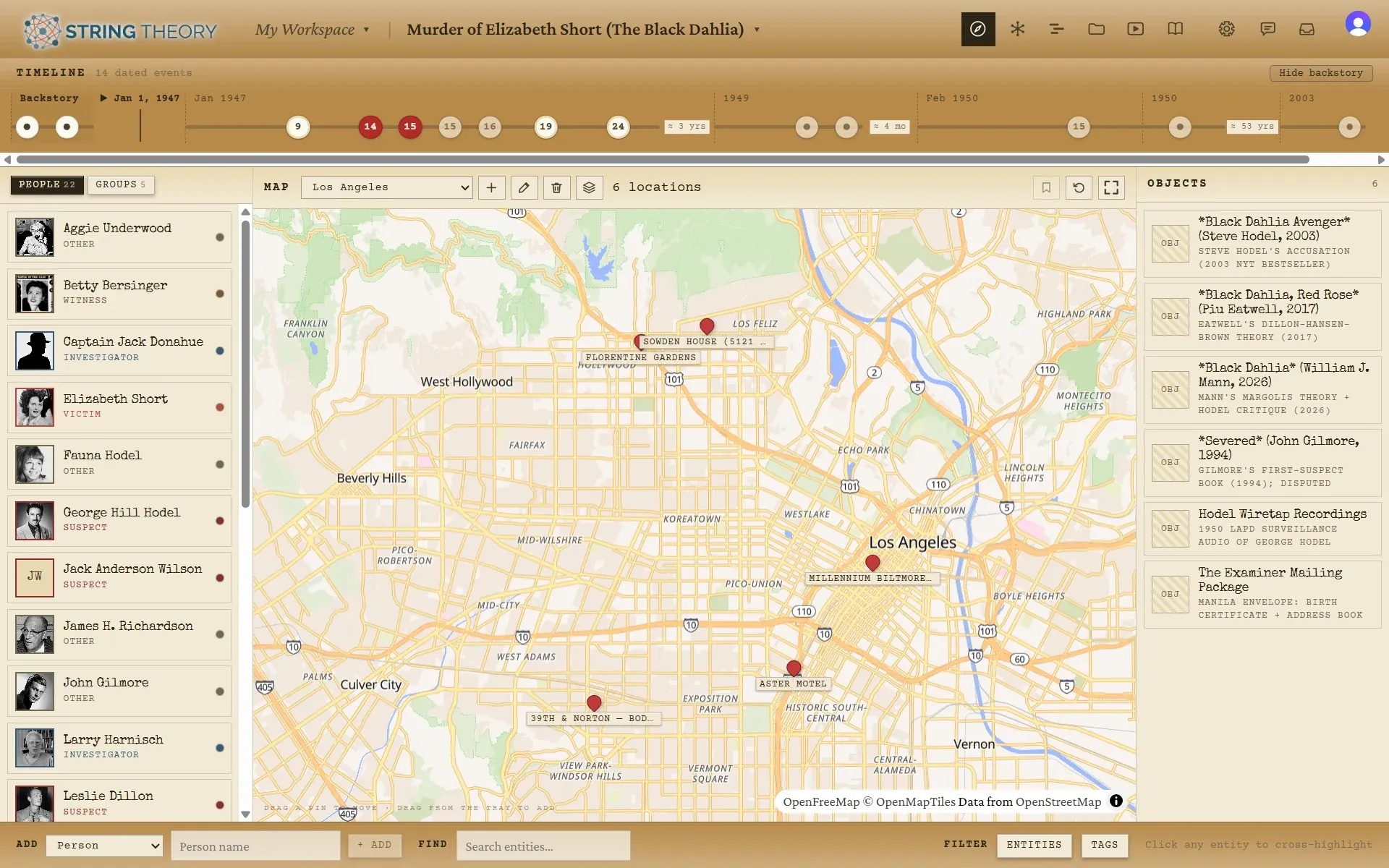
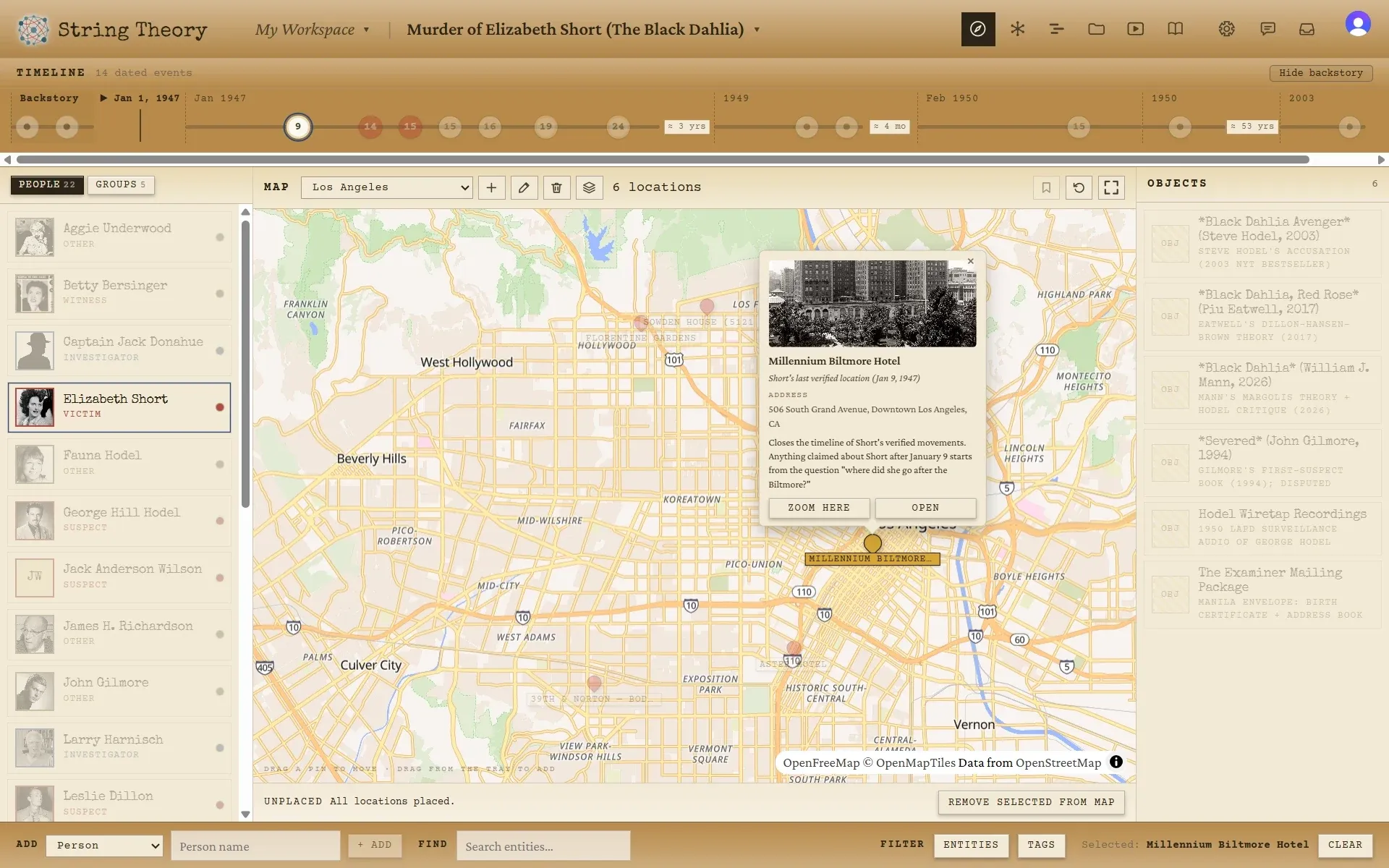
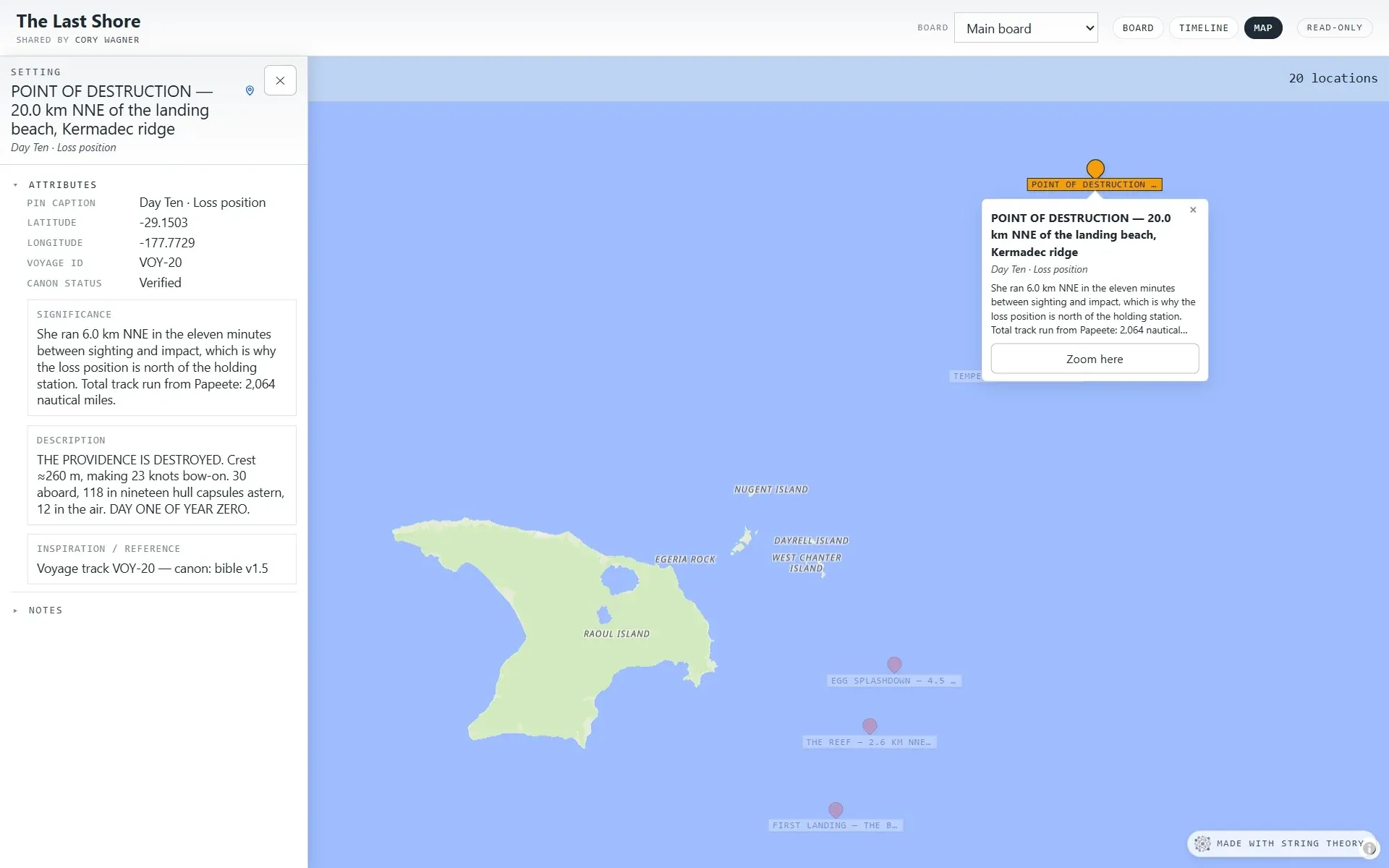
  2. The Navigator dashboard: a cast list, a street map of Los Angeles with a photo callout for the Millennium Biltmore Hotel, an objects panel, and a timeline strip.
    The Navigator with the map zoomed out to show six pins across Los Angeles.
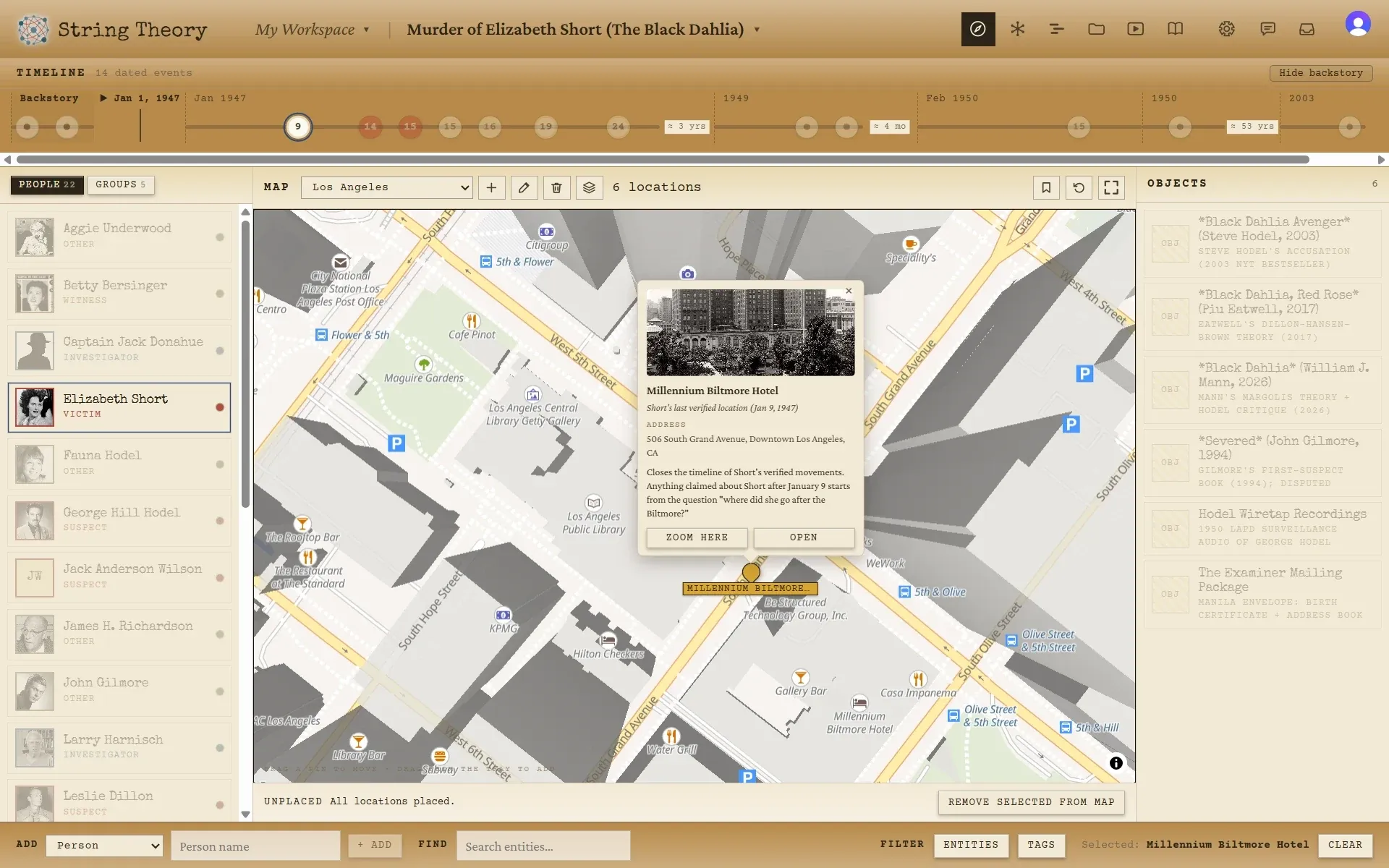
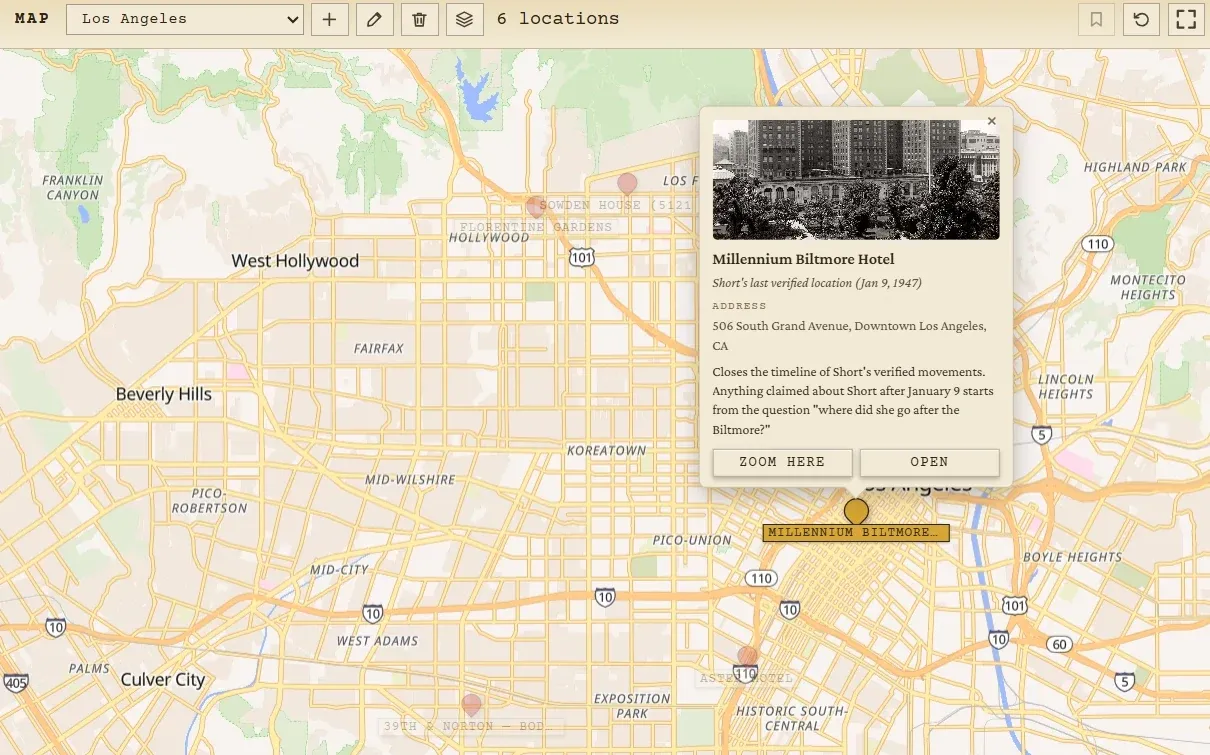
    The Navigator map zoomed to downtown Los Angeles, with a callout for the Millennium Biltmore Hotel showing a photograph, the address, and a note on the case.
    Cast on the left, a real street map in the middle, objects on the right, the timeline strip on top

    Navigator

    A dashboard with the timeline, the map, the cast, and the inventory all visible at once. Click anyone and the timeline highlights when they appear, the map shows where they’ve been, and their objects light up. The map is a real street map you pin places onto by coordinates, or you can swap it for an image of your own, such as a floor plan, a hand-drawn world, or a scene.

    The view for when you want the whole case in one frame.

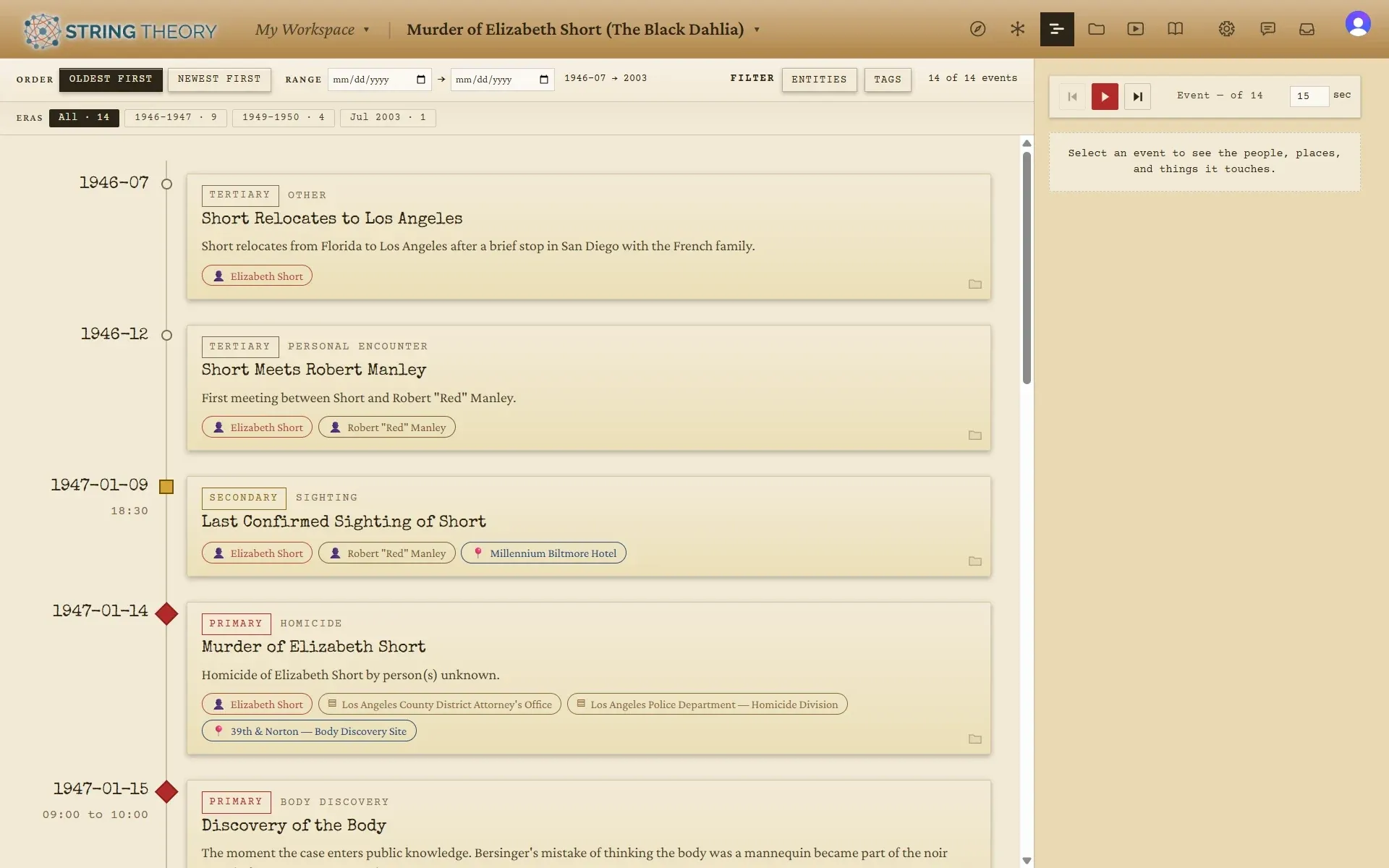
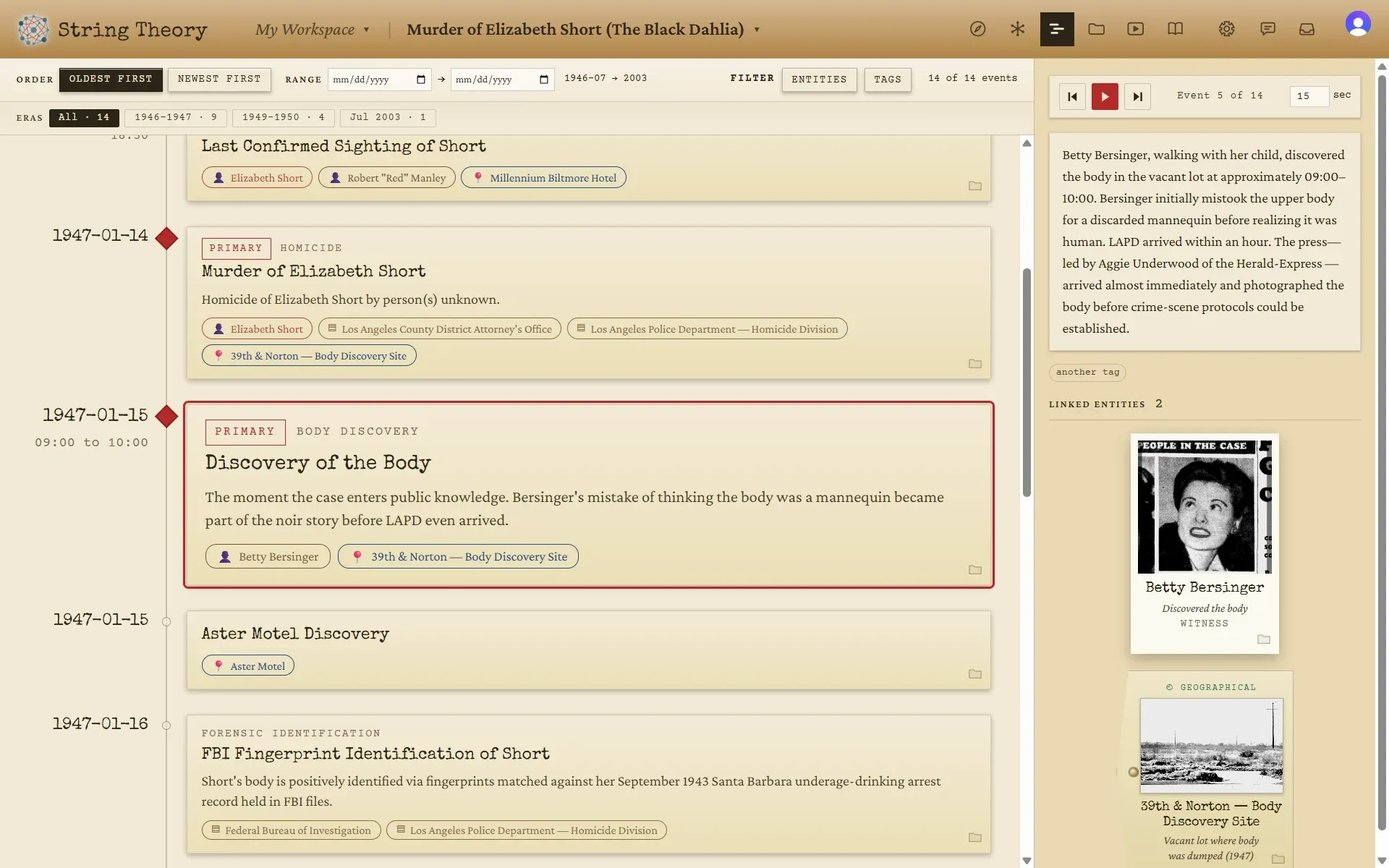
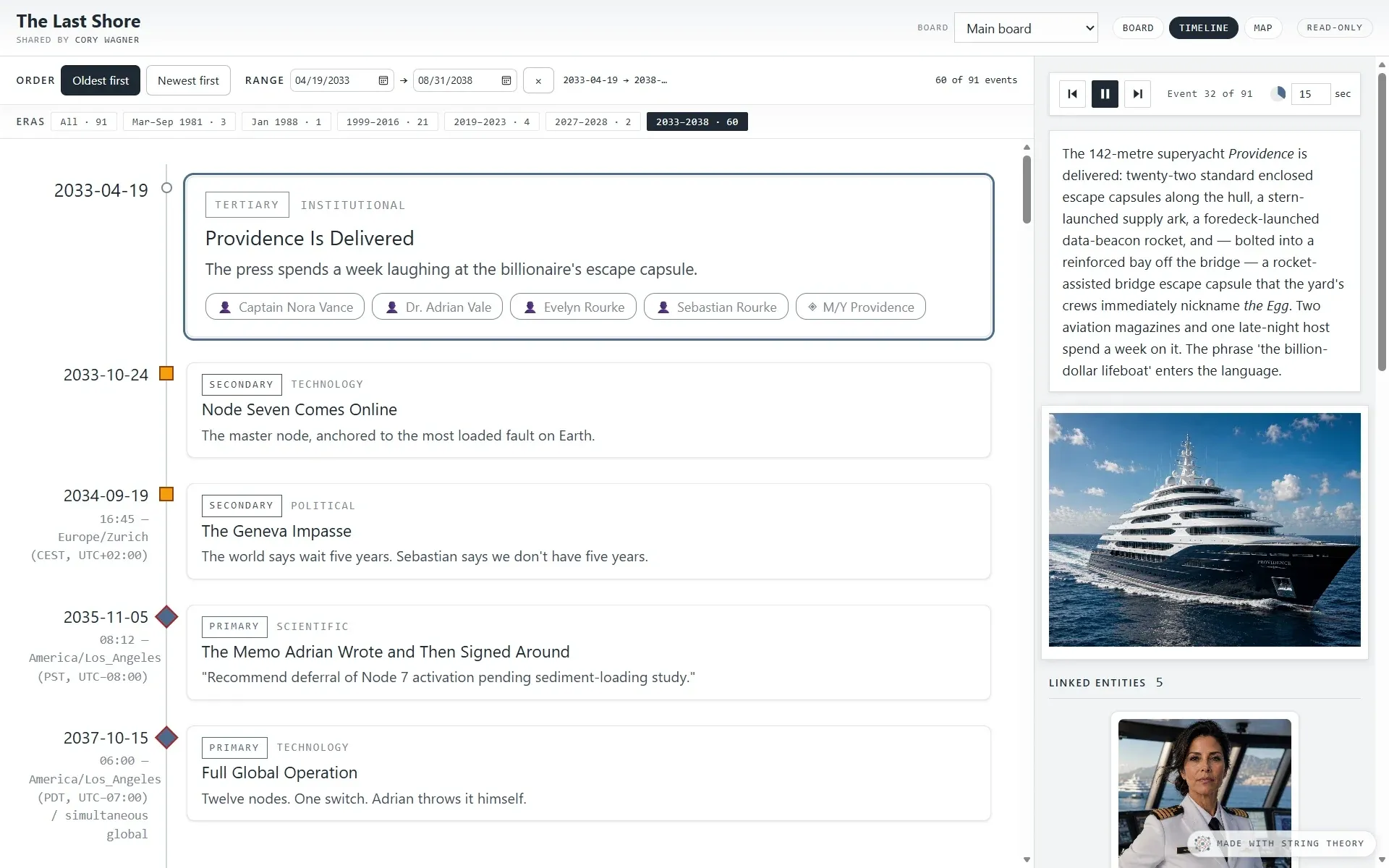
  3. The Timeline: dated events in order, each with chips for the people and places involved, and era buttons across the top.
    The Timeline with one event selected and a side rail showing its narrative, a tag, and cards for the people and places linked to it.
    Events in order, each with the people and places it touches, with era jumps across the top

    Timeline

    The case as a story, read top to bottom, with every event in order and the people, places, and objects tied to it. The Timeline spots the big gaps and offers them as eras, keeps whatever precision your source supports, and will run itself as a slideshow when you’re presenting. A project that isn’t on the Gregorian calendar can count time its own way instead.

    The view for when you want to know when, and what came right after.

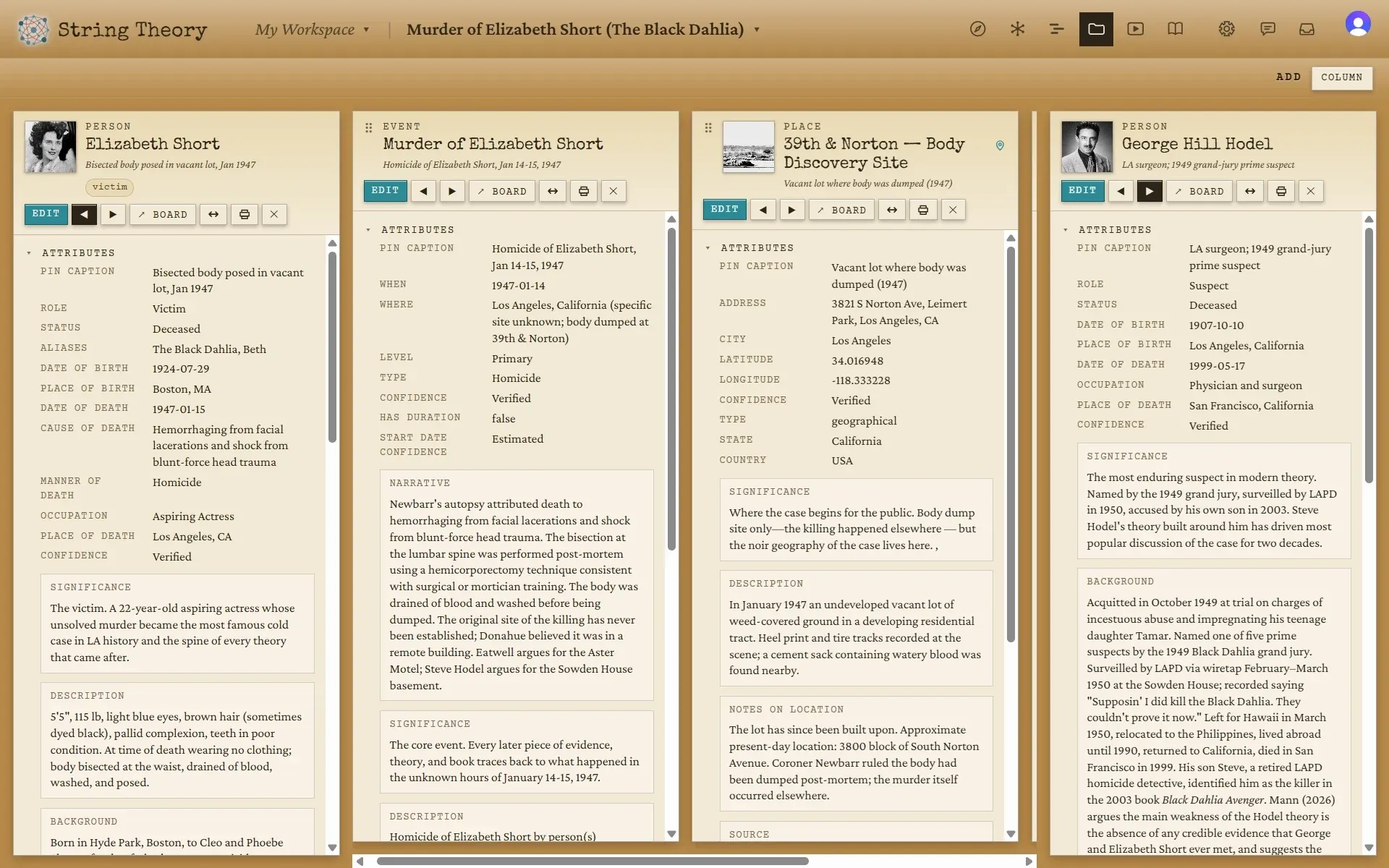
  4. The Dossier view: four case-file columns open side by side, each with a photograph, a list of attributes and a written significance note.
    The String Board with a dossier panel docked on the left showing Elizabeth Short’s attributes, significance, and description.
    Four case files open side by side

    Dossier

    Read deep on the people, places, and things at the center of your case. Attributes, relationships, notes, media, and documents are laid out as a case file. Open four or six side by side, pin the ones you’re comparing, and widen the one that matters.

    The view for when you need to actually understand someone, and notice the detail in their background that nobody else saw.

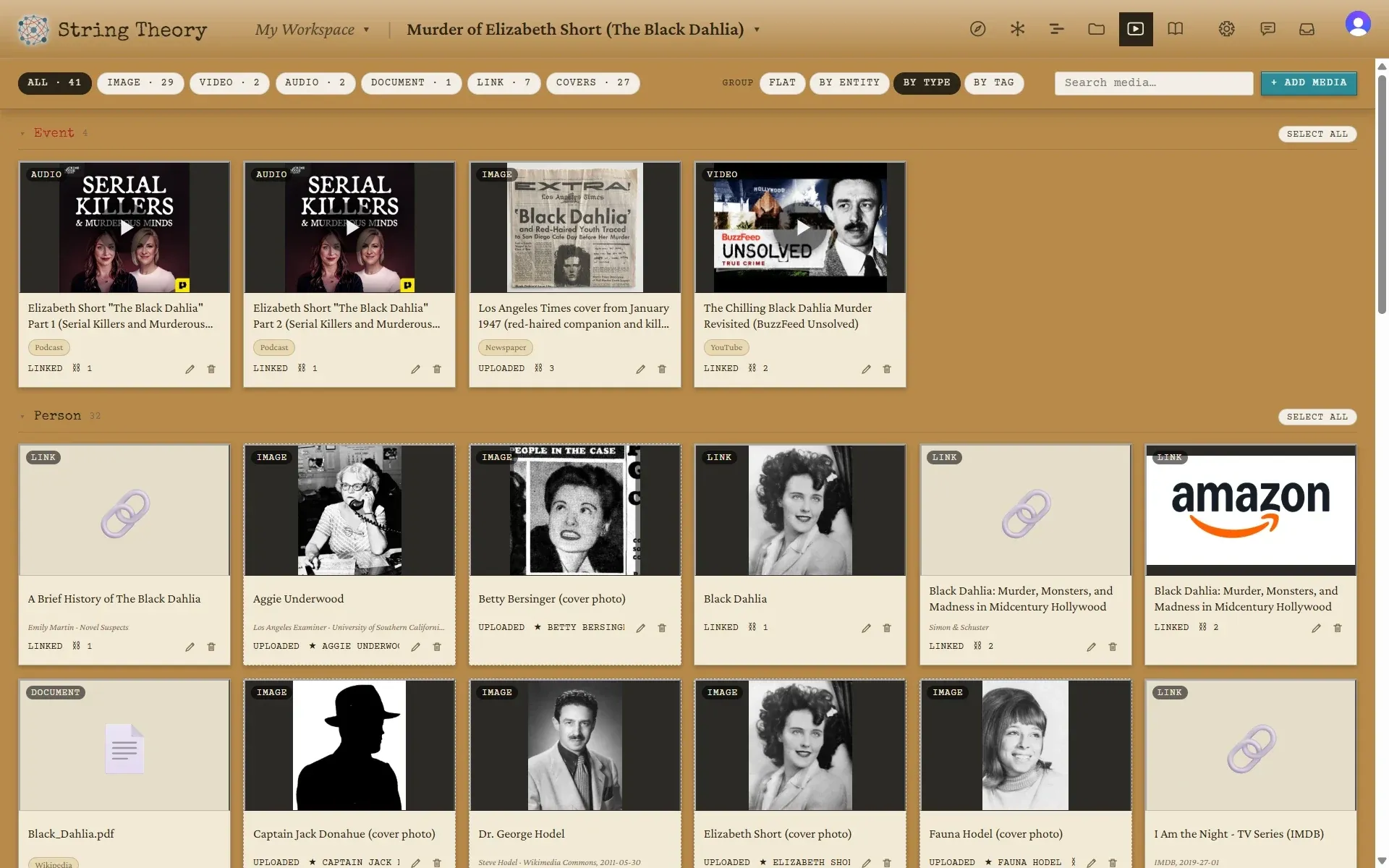
  5. The Media gallery: a grid of tiles grouped by type, mixing podcast episodes, a newspaper front page, a video, photographs, and link cards.
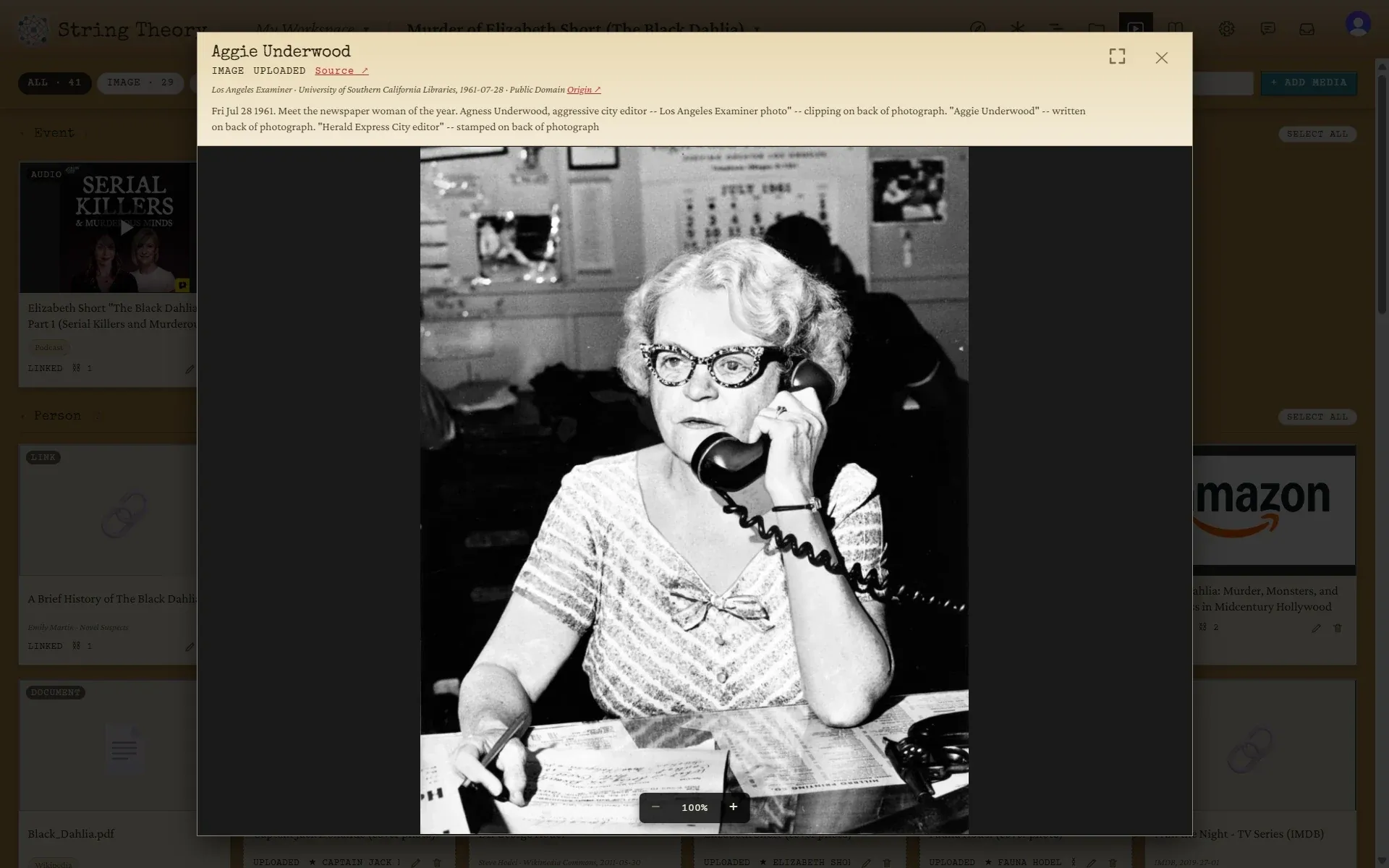
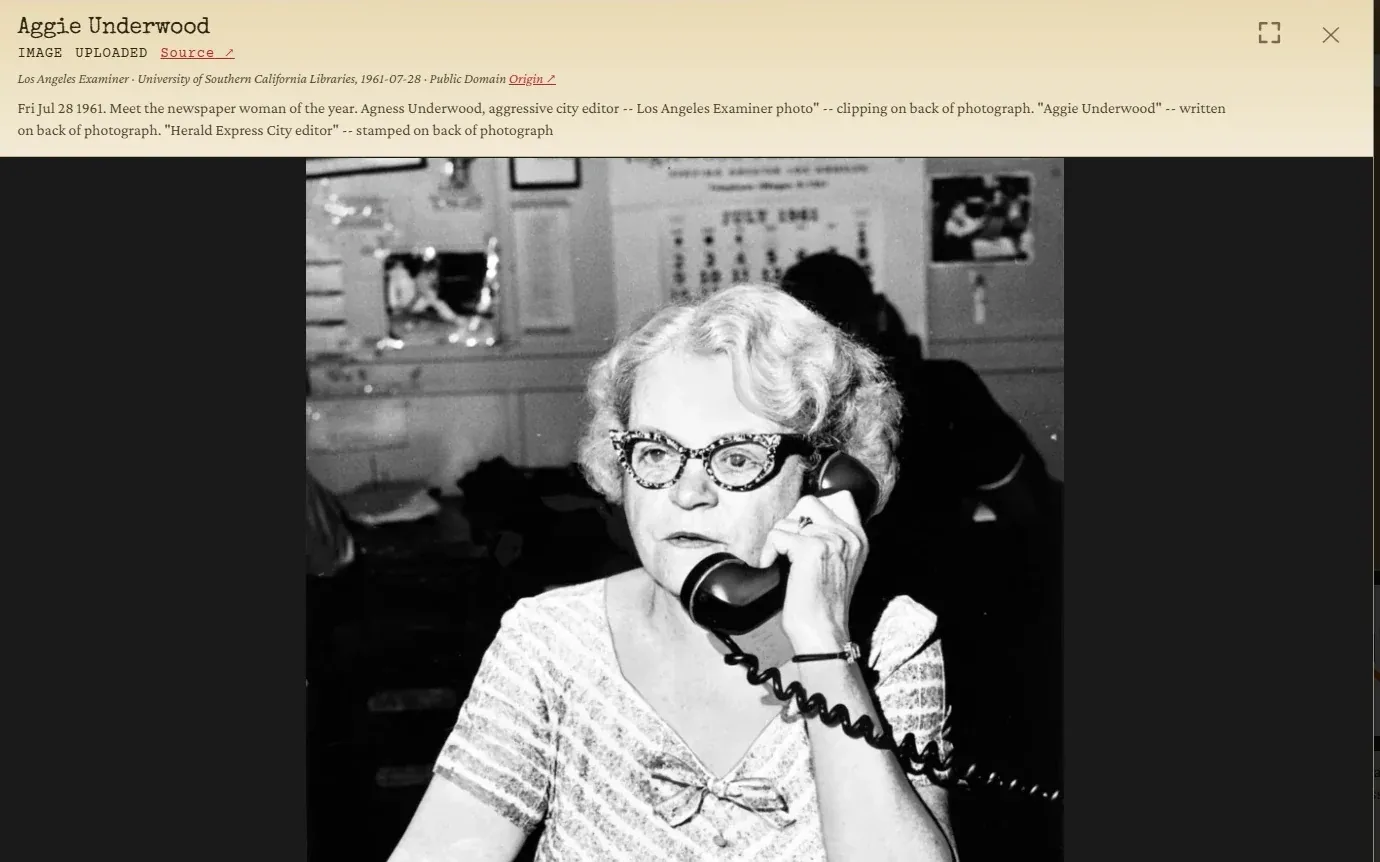
    A photograph of Aggie Underwood open in the viewer, with a credit line naming the Los Angeles Examiner, USC Libraries, the date, and a public-domain license.
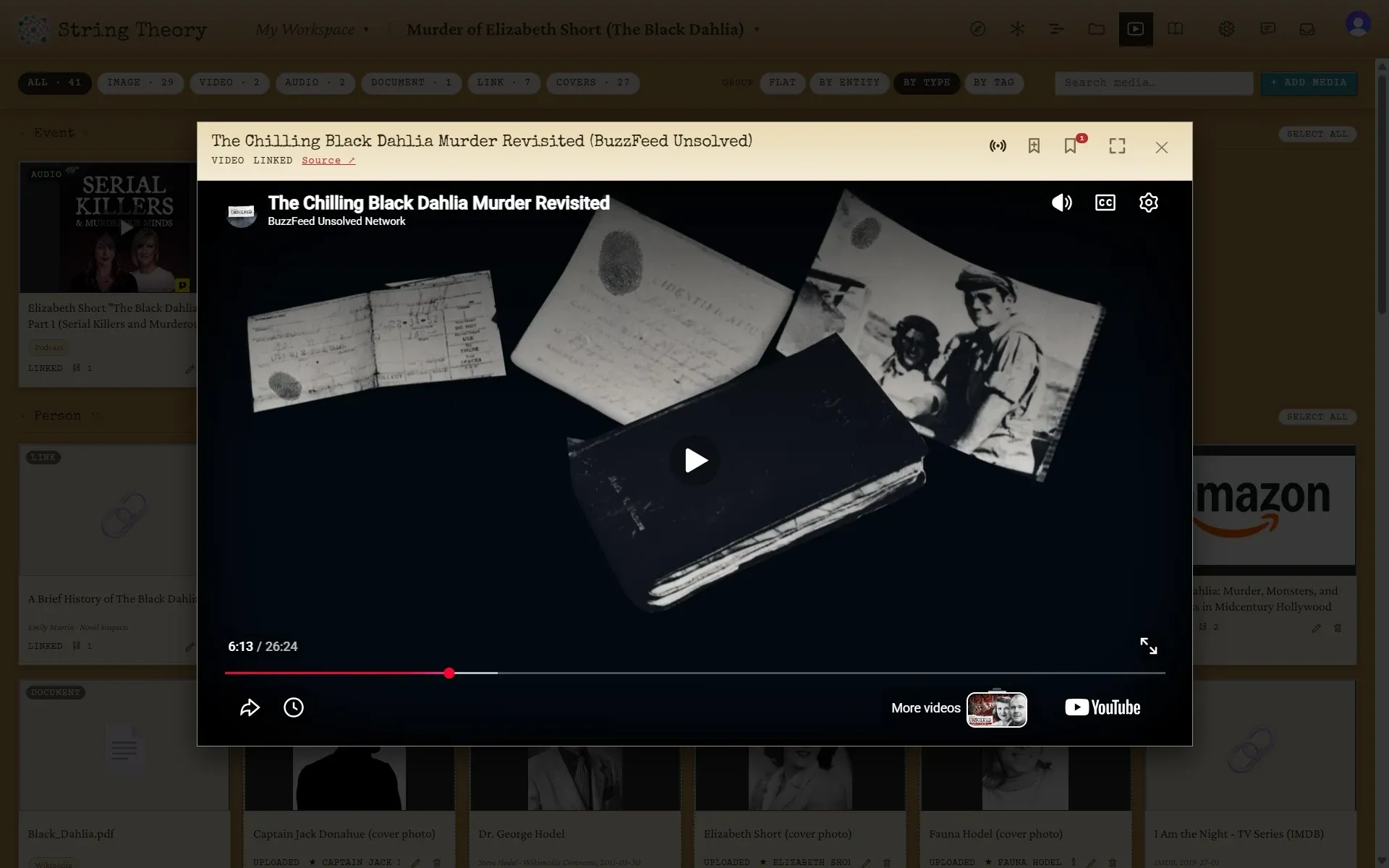
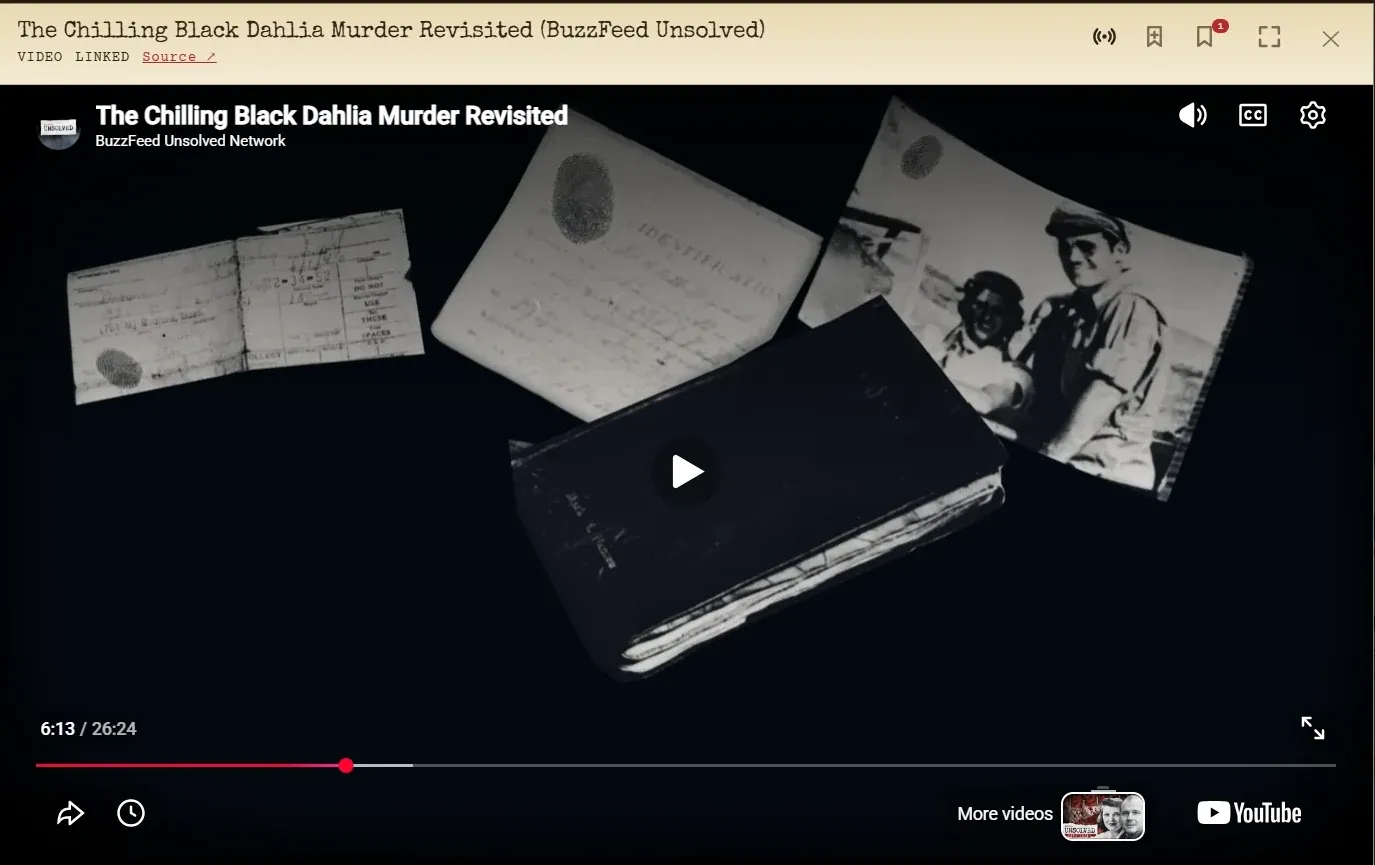
    A YouTube video playing inside the media viewer, with a bookmark control in the header.
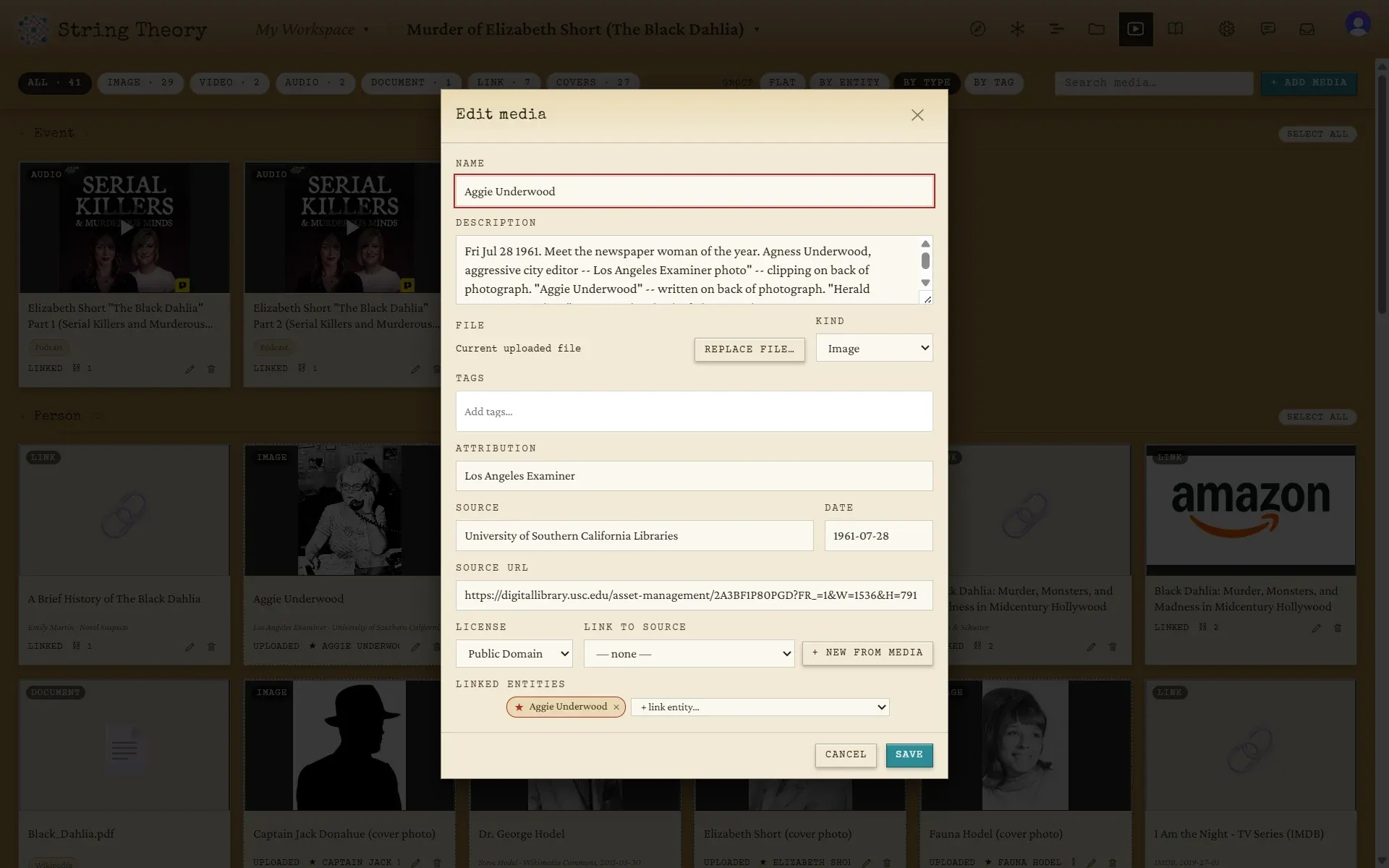
    The Edit media dialog for a photograph, with fields for attribution, source, date, source URL, license, and the entities it is linked to.
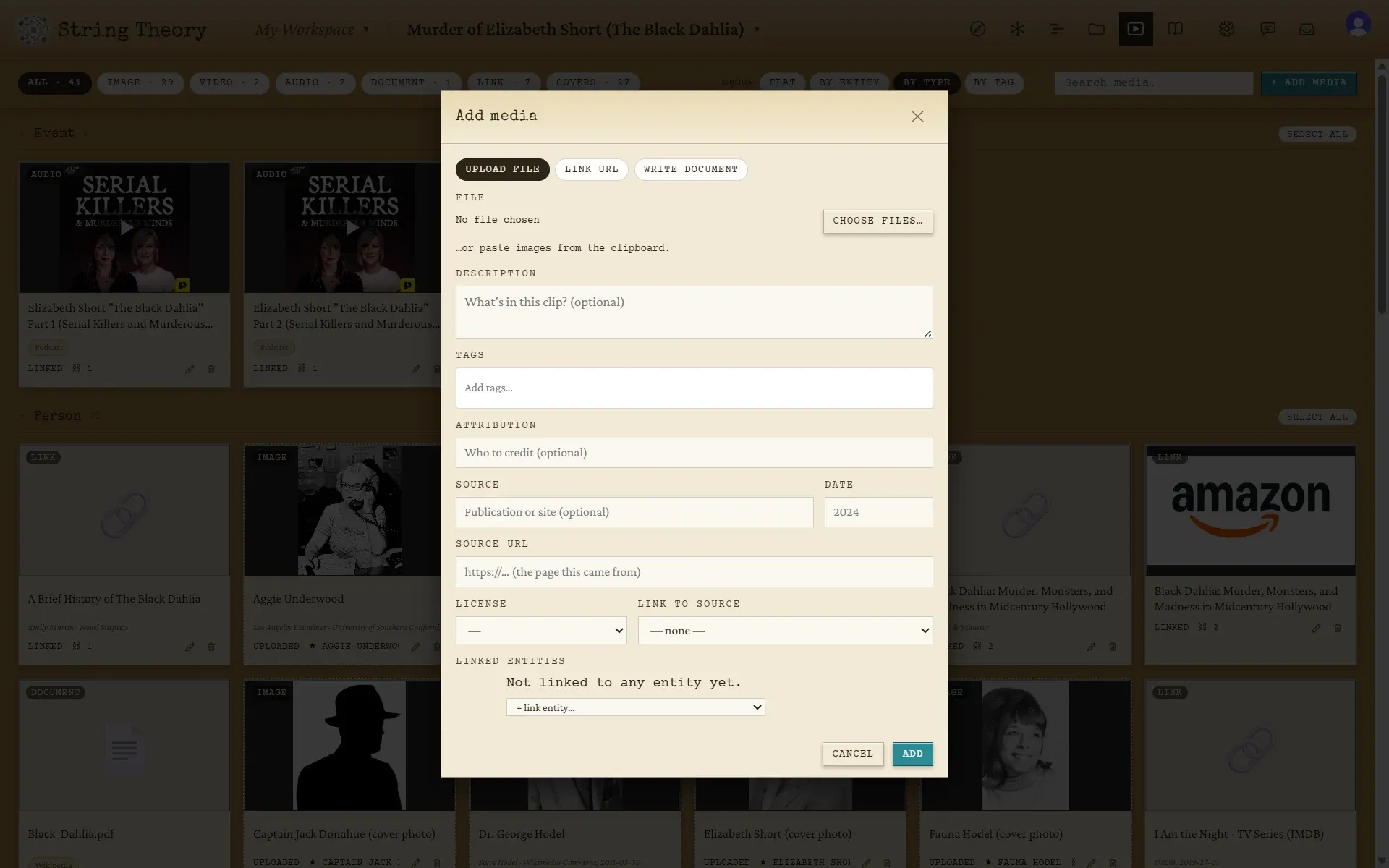
    The Add media dialog with tabs for Upload file, Link URL, and Write document, and fields for description, tags, attribution, source, and license.
    Everything in the case, grouped by type: podcasts, a front page, a video, photos, links

    Media gallery

    The evidence room: photos, video, audio, documents, and links. Filter by kind, search by tag, or group by the entity each piece belongs to. Paste a YouTube link or a podcast episode and it just works, and you can bookmark the moment in a clip that matters and tie it to a card.

    Often where the real answer is hiding.

  6. Sources

    The bibliography, writing itself as you work. Every source you’ve cited is grouped by type, with a readable citation line and a count of how much of your evidence leans on it. There is nothing to assemble at the end, because it’s a by-product of filing things properly along the way.

    The view for when someone asks how you know that.

Sometimes the answer is in the timing.

Sometimes it's in who knew whom.

Sometimes it's hiding in the photos.

Different people think different ways. String Theory respects that.

The classroom

Mr. Patel projects the String Board on the classroom display while his tenth-graders sit at their laptops, each in the Dossier view, reading character files closely and taking their own notes. When a student notices a connection no one else has seen, they call it out, and the whole room watches the new string draw itself across the big screen.

The podcast team

Jess's true-crime podcast team works around three monitors: the Navigator on the left for the timeline, the String Board in the middle for who knew whom, and the Media gallery on the right pulling up whichever photo or audio clip they're talking about. Click any name and all three monitors follow.

More than one wall.

A project holds as many walls as the case needs.

Each board chooses which cards it shows, so a wall carries only what it needs. There are two reasons to build a second one, and the same project can do both.

Drill in

When one corner of the board gets crowded, give it a wall of its own. Any card can open onto a breakout board: link "The Hodel theory" or "The tavern" to one and the card grows a small chevron. Click it and you're through, digging into that thread on a wall where it has room to breathe. On a fan board, the band gets a board; on a campaign, the city does; on a case, the suspect nobody can rule out.

A fan board for Chappell Roan: photo cards for songs, tours, awards, and collaborators on a stage backdrop, grouped under headings, connected by strings in several colors.
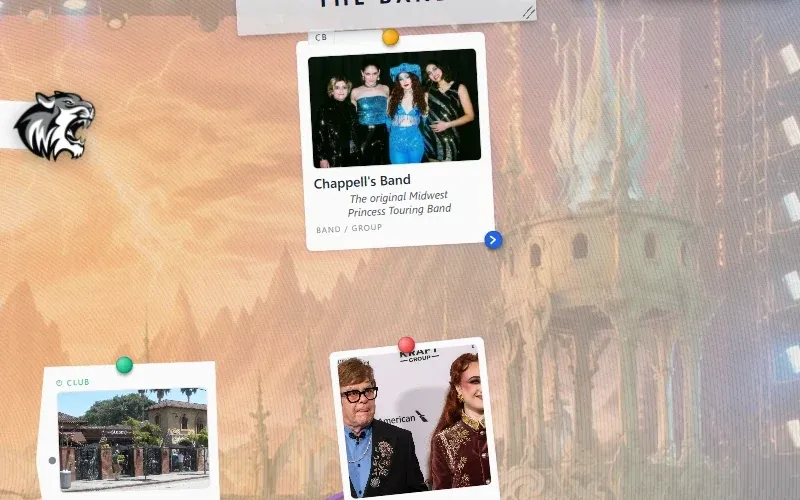
A close view of the card for Chappell’s Band under a heading reading The Band, with a small blue chevron badge in its corner.
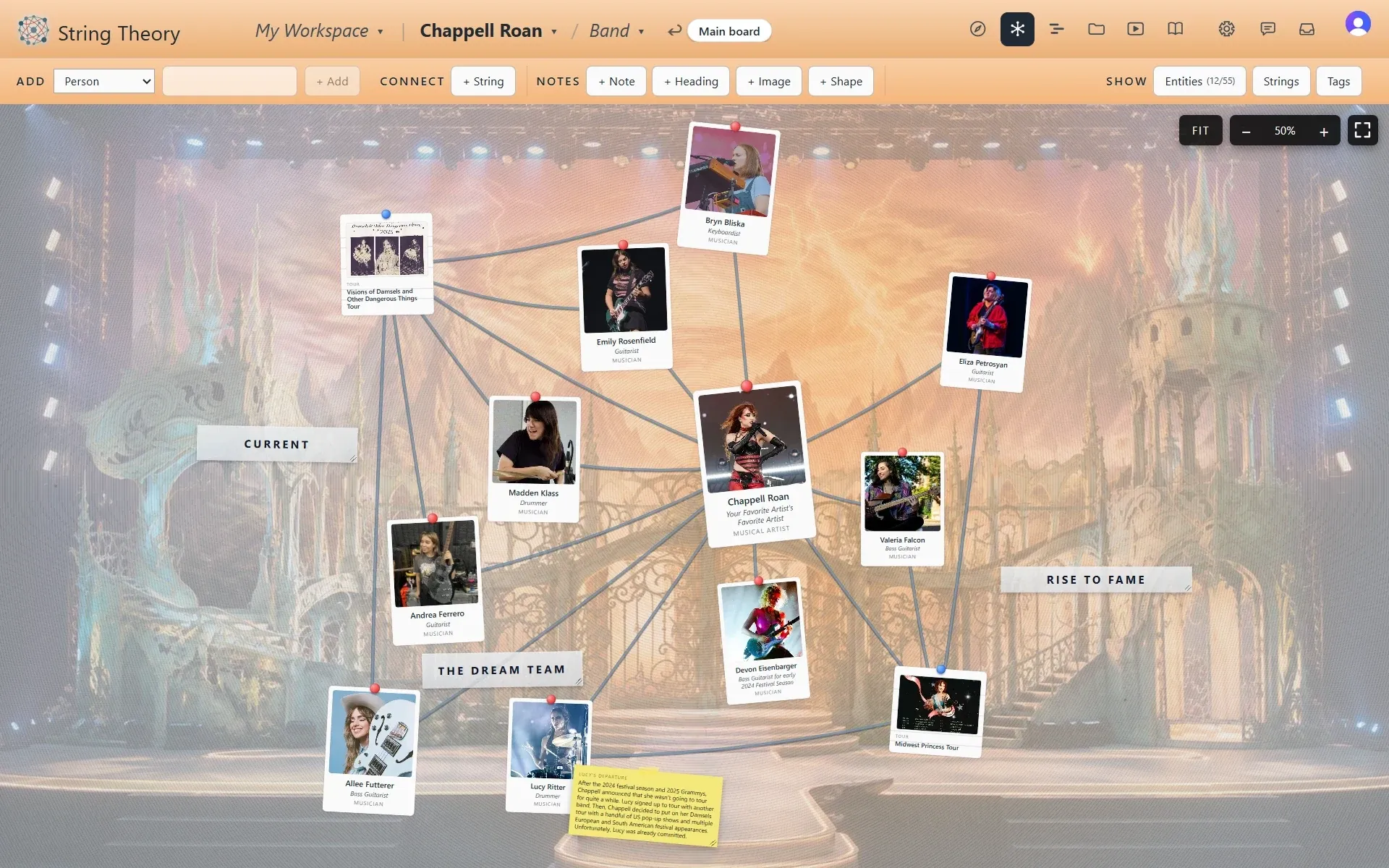
The Band board that the chevron opens: the band members as photo cards connected by strings, with a breadcrumb at the top reading Main board.
1 · A fan board: the artist at the center, with the band, the tours, the awards, and the collaborators around her

Look again

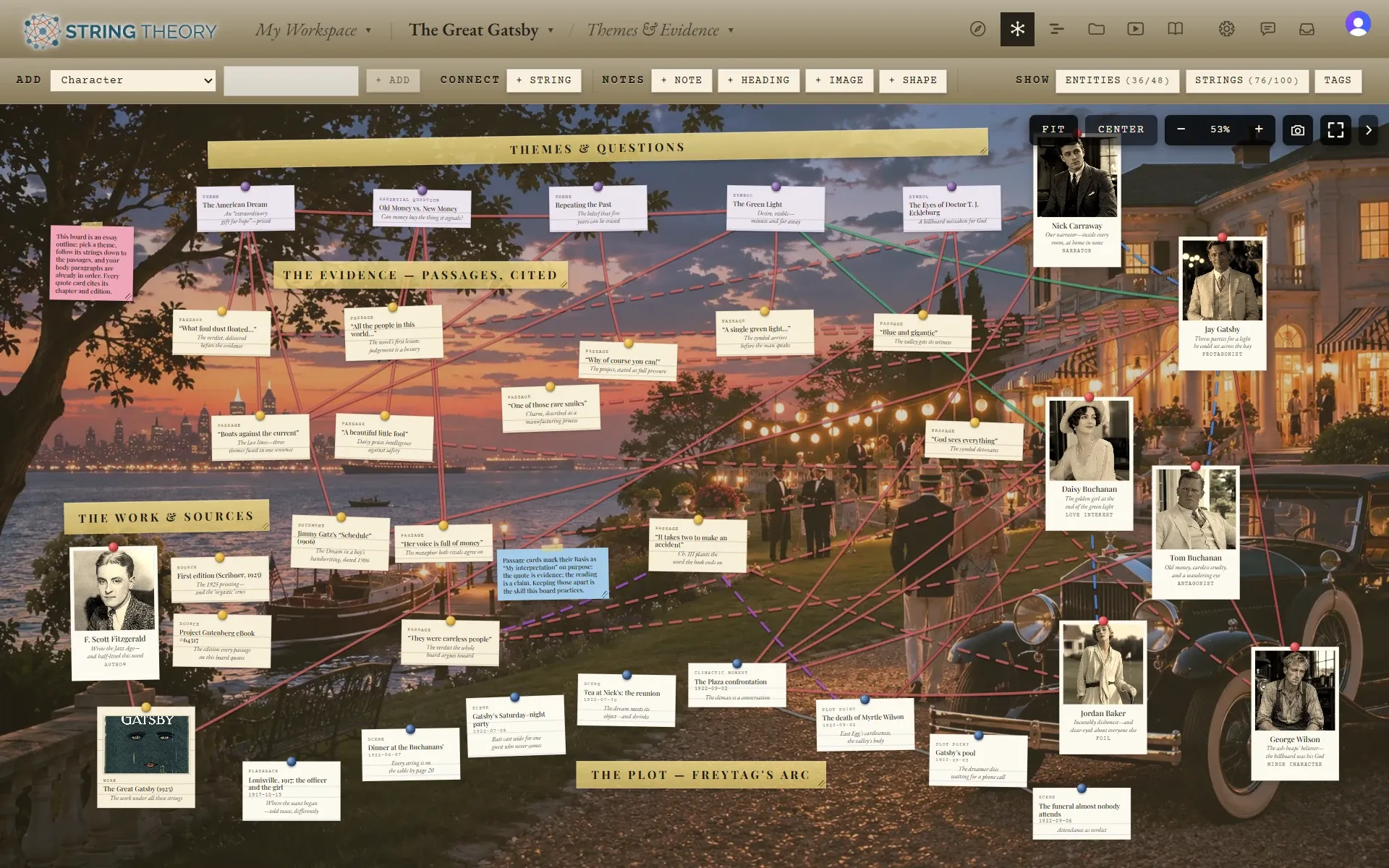
Sometimes the second wall is not a closer look but a different question. The Great Gatsby project has a Character Web that lays the cast out as the novel's own map, the two Eggs and the Valley of Ashes with the strings of who wants and who betrays whom. Its second board, Themes & Evidence, holds the same book from the other side: the themes and essential questions across the top, the cited passages beneath, and the plot as Freytag's arc along the bottom.

Nothing was entered twice. The characters and the passages are the same cards, and each board shows the ones its question needs.

A Great Gatsby board with photo cards for the characters grouped under masking-tape headings for New York City, the Valley of Ashes, West Egg, and East Egg, connected by red, green, and dashed blue strings.
The same project’s second board, with headings for Themes and Questions, The Evidence, The Work and Sources, and The Plot, Freytag’s Arc, and dozens of small passage and theme cards connected by strings.
The Character Web: the cast laid out as the novel’s map, with the strings of who wants, loves, and betrays whom

As simple as you want, as deep as you need.

Start simple, get specific, and make it yours.

  1. Start simple.

    If you're just dropping in some people and how they connect, you don't need to learn a schema. Every card has a name, a photo, a caption, and notes. That is enough to get a board started, and it's all most boards ever need.

  2. Get specific.

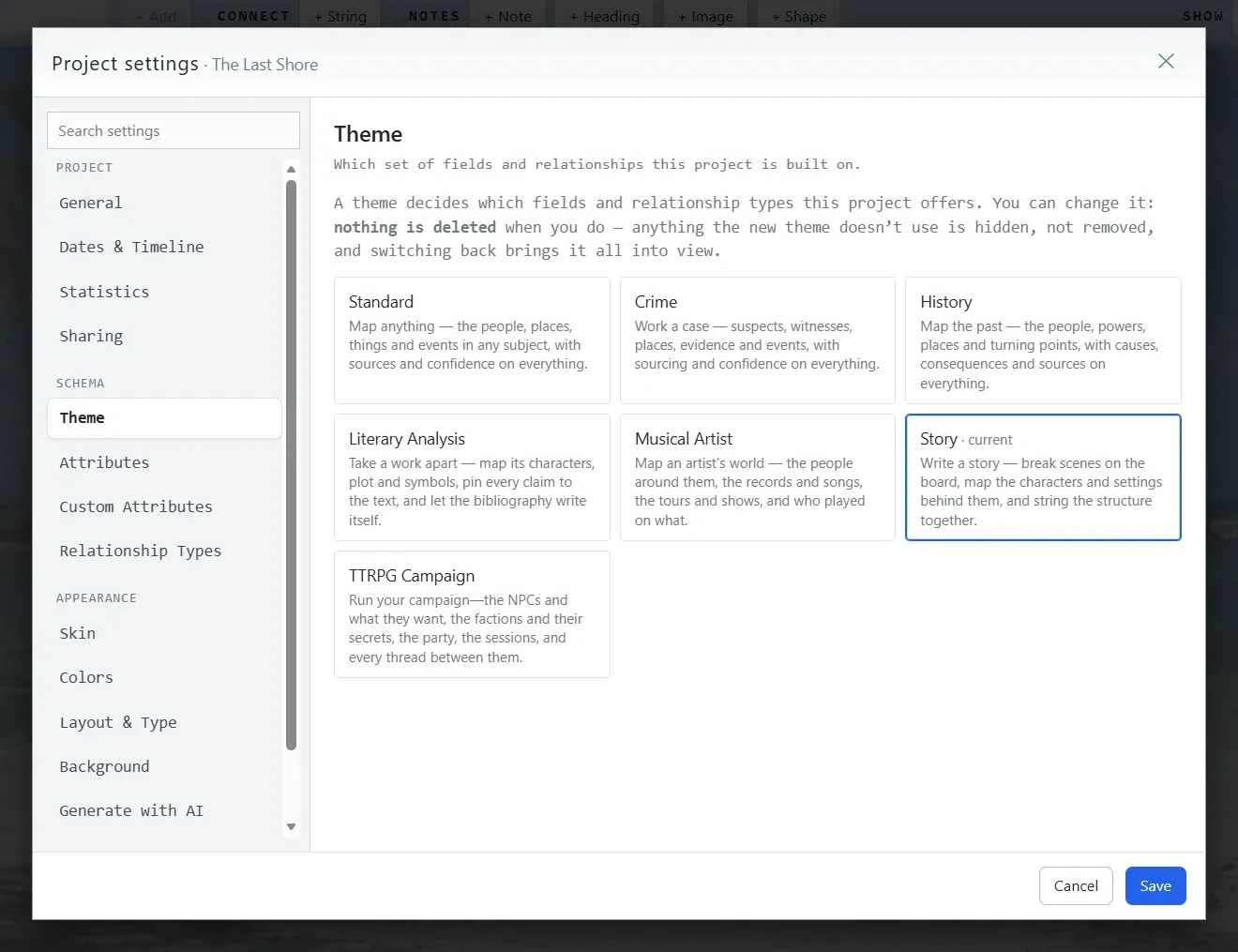
    When you're working on something you take seriously, pick a domain template and get a full set of fields and connection types already curated for your kind of work. Crime brings confidence ratings, alibis and motives, and suspects and witnesses. Musical Artist brings albums, tours, and festival sets. History, Story, Literary Analysis, and TTRPG Campaign each bring their own, or you can stay on Standard, which fits any subject and is where every new project starts. Journalism and Biography are on the way.

  3. Make it yours.

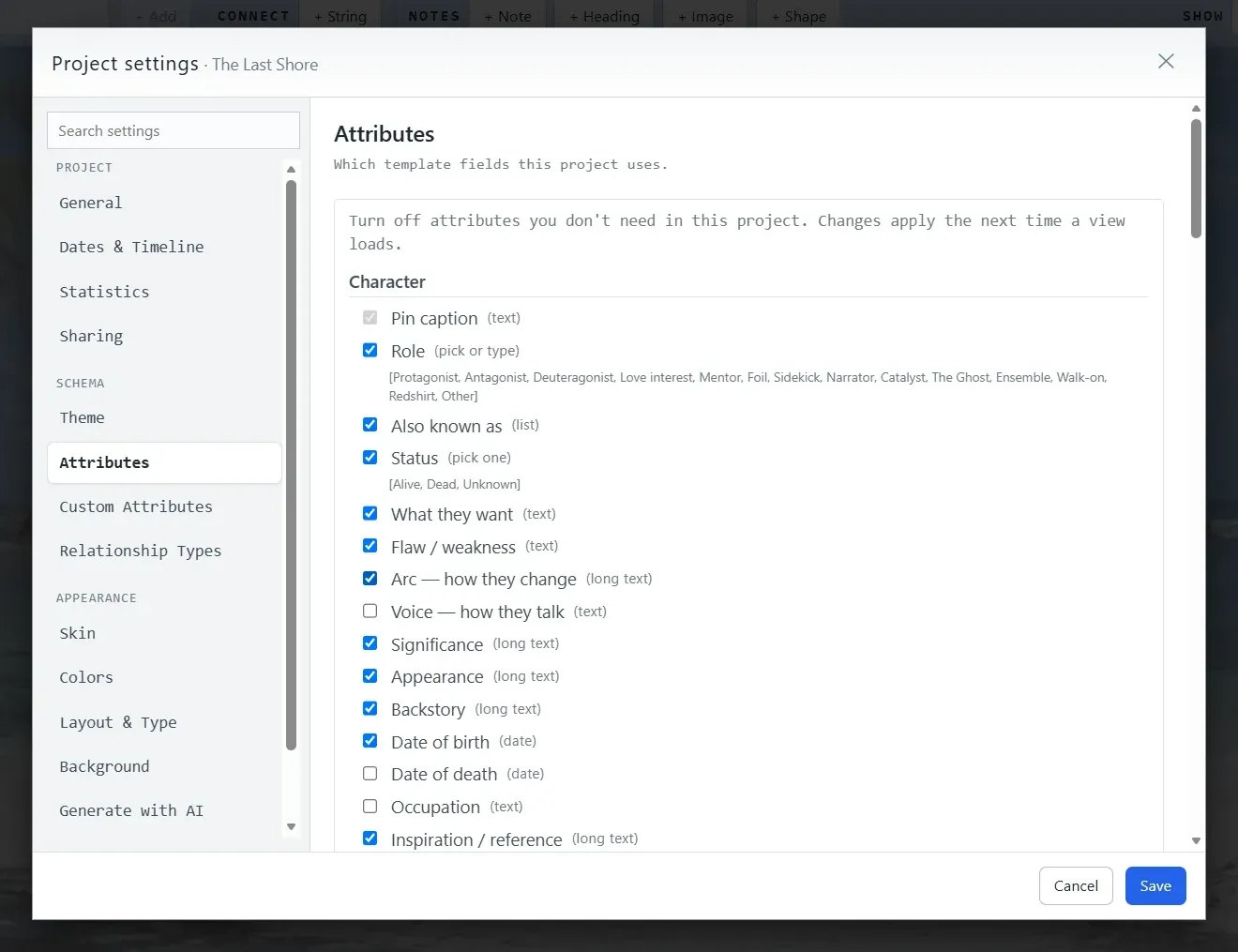
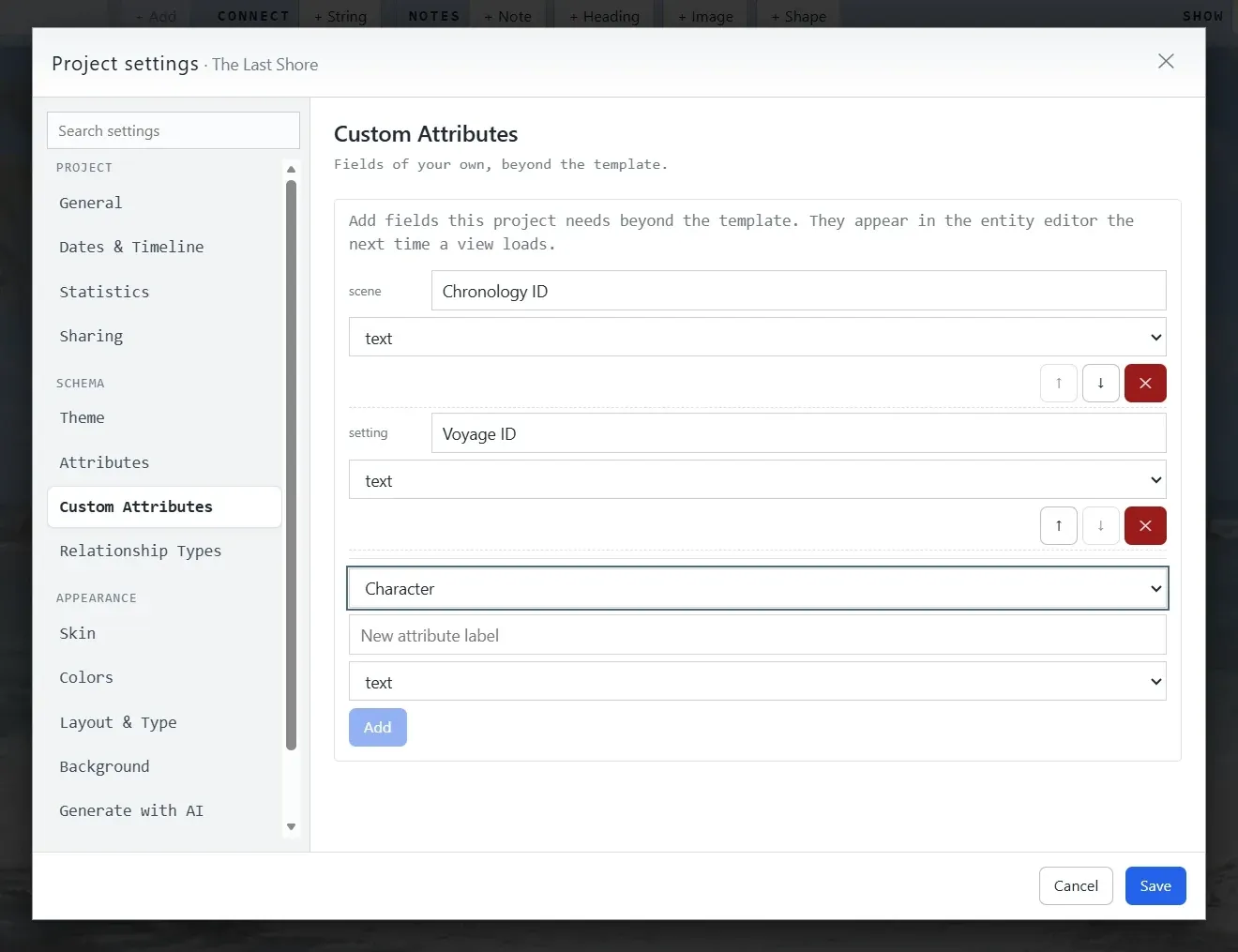
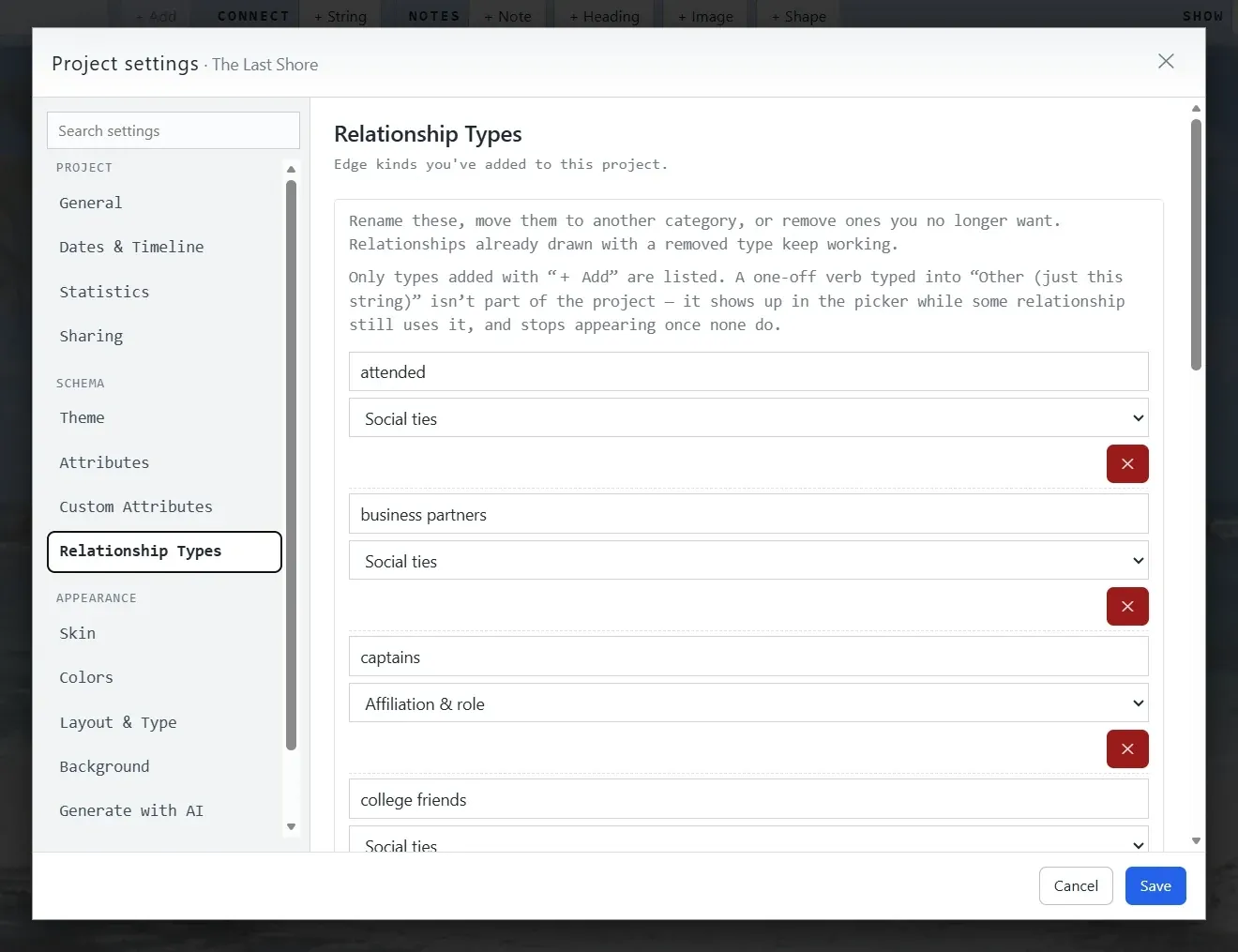
    If the template didn't anticipate something, add your own fields and turn off the ones you don't use. Coin a new kind of relationship and it's there for the whole project. The product grows with the project rather than the other way around.

The Theme panel in Project settings: seven cards—Standard, Crime, History, Literary Analysis, Musical Artist, Story, and TTRPG Campaign—each with a one-line description, with Story marked as current, and a note that nothing is deleted when you switch.
The Attributes panel in Project settings for a Story project: a checklist of Character fields—role, also known as, status, what they want, flaw, arc, voice, significance, appearance, backstory, dates—each with a checkbox and the kind of input it uses.
The Custom Attributes panel in Project settings: two custom text fields already added, Chronology ID on scenes and Voyage ID on settings, and a form to add another to any kind.
The Relationship Types panel in Project settings, listing relationship kinds added to this project—attended, business partners, captains, college friends—each with a category dropdown and a remove button.
Pick a template. Seven ship today, and you can move a project to another one later without losing anything.

Make it look like yours.

One board, five worlds.

There are two knobs here, and they're separate. A template decides what the cards ask, such as whether a card wants an alibi or a set list and whether a string can foreshadow or contradict. A skin decides what the board looks like: kraft paper and red yarn, aged vellum and wax seals, or a clean white card on a photograph of a stage. Mix them however you like and change either one later, because none of it touches your data.

A close view of a noir-skinned board: a photograph of Elizabeth Short in a green frame, a 1940s squad car, a cemetery photo and typed index cards, all connected by red string on kraft paper.

Crime Noir

Kraft paper, cork, typewriter type, and red string: the squad room in 1947.

About the Crime template →

A close view of a music board: clean white photo cards for awards, performances, and songs over a photograph of a stage, connected by strings in green, red, and blue.

Musical Artist Vanilla

Clean cards on a stage, with green strings for performances and purple for collaborators. The color is the relationship.

About the Musical Artist template →

A close view of a novel's board: character photo cards over a beach, grouped under a heading reading The Passengers, connected by solid and dashed strings.

Story Vanilla

A cast on a beach, with solid strings for what is and dashed strings for what only might be.

About the Story template →

A close view of a campaign board: aged vellum cards with painted portraits over an old map, tied together with dark red cord.

TTRPG Campaign Parchment

Vellum cards on an old map, and a calendar that runs on the campaign’s years rather than ours.

About the TTRPG Campaign template →

A close view of a Great Gatsby board on the Jazz Age skin: photo cards for Jay Gatsby, Daisy Buchanan, and Dan Cody over a painting of a lawn party at dusk, connected by red strings and a dashed blue one, with a green sticky note beside the Green Light card.

Literary Analysis Jazz Age

Champagne cards over a lawn party at dusk. Red strings for the plot, dashed blue for the foils, and a Basis on every claim.

About the Literary Analysis template →

Two more ship today: Standard (the default, which fits any subject) and History. Their pages are coming once their demo boards exist, and Journalism and Biography templates are planned.

Every project can have its own look. Pick a preset, twist the colors, and change your mind on a Tuesday. If the kids want neon for murder-mystery night, that's a project too.

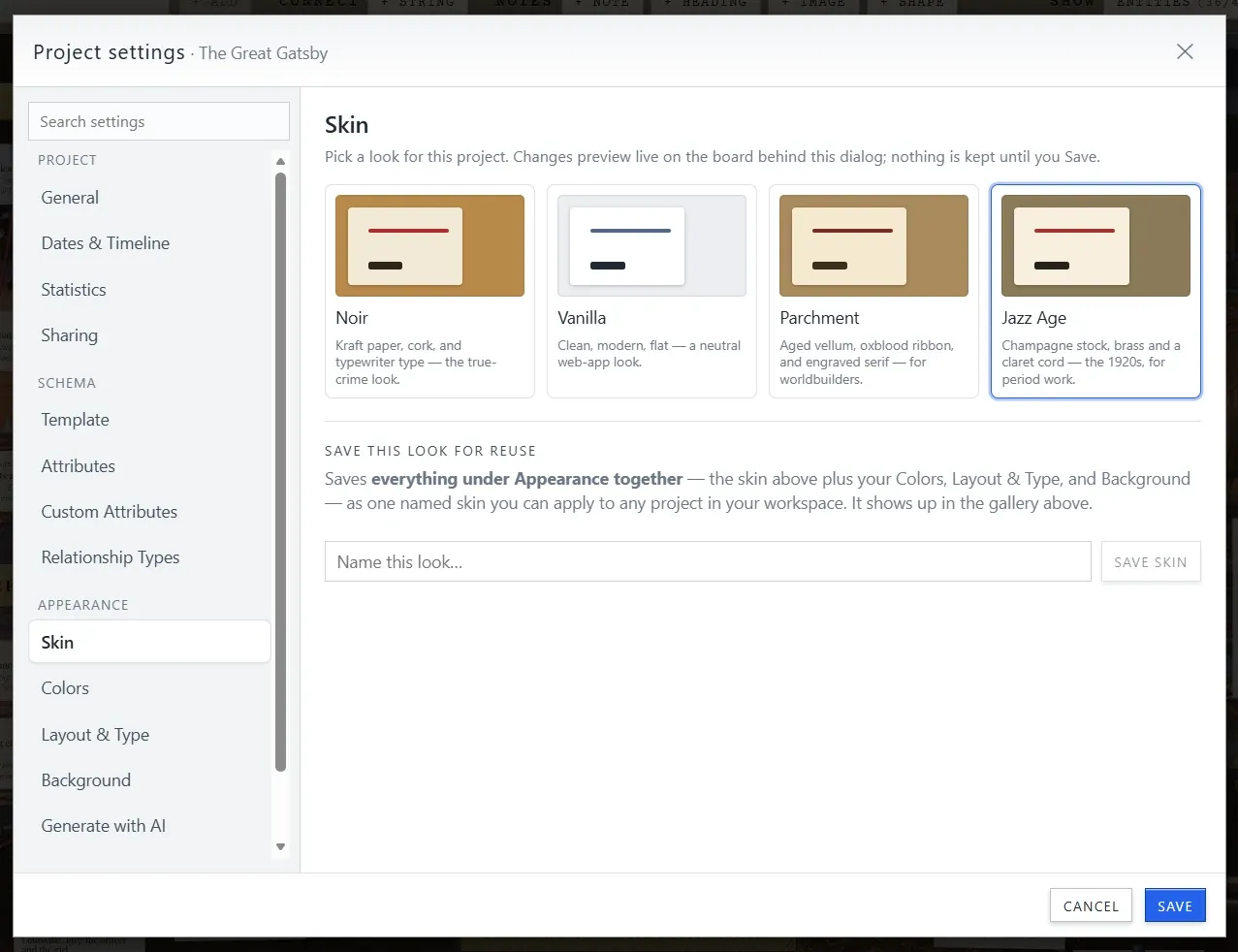
The Skin panel in Project settings: four preset cards, Noir, Vanilla, Parchment, and Jazz Age, each with a thumbnail and a one-line description, with Jazz Age selected, and a field to name and save the current look.
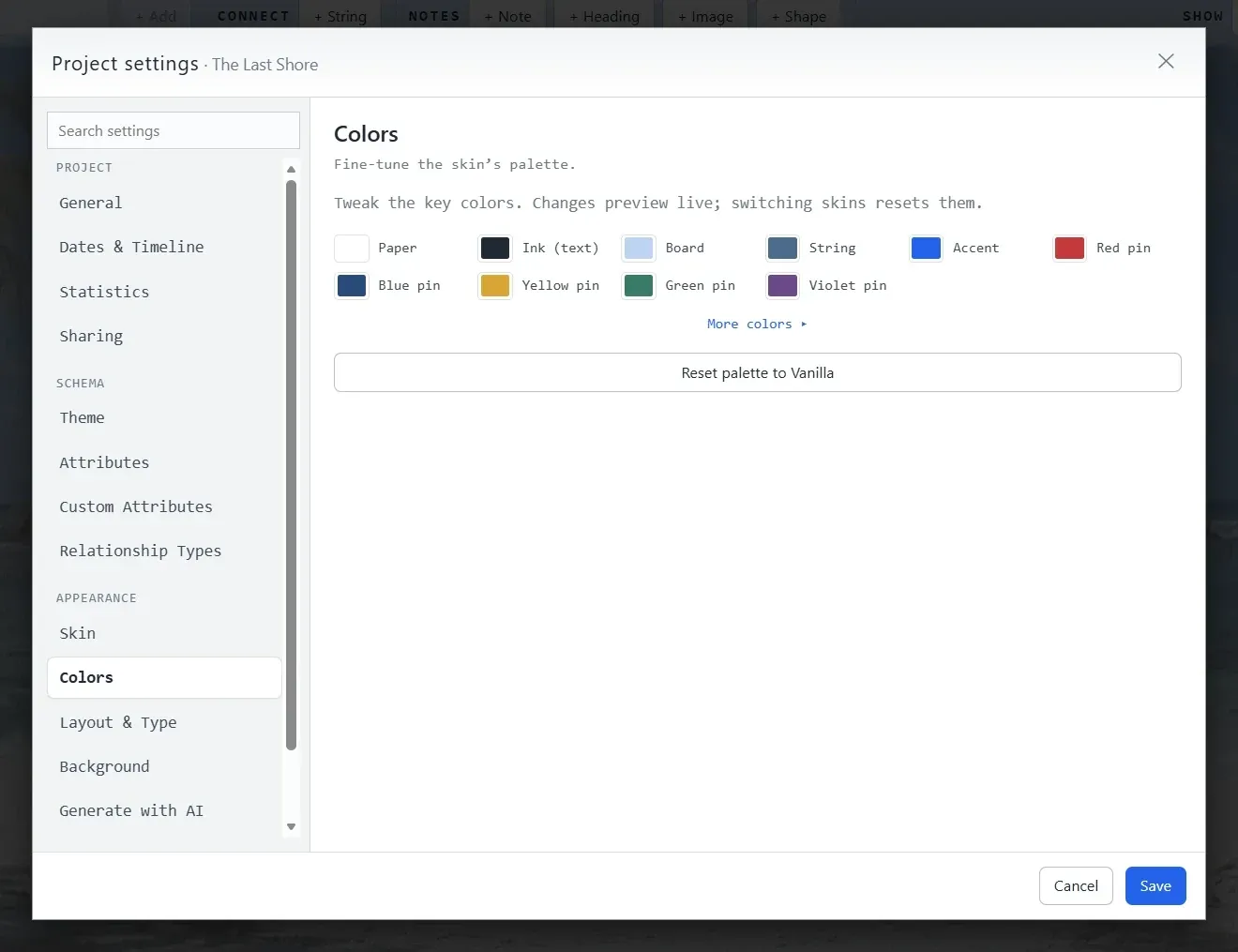
The Colors panel in Project settings: swatches for paper, ink, board, string, accent, and each pin color, a “more colors” link, and a button to reset the palette to Vanilla.
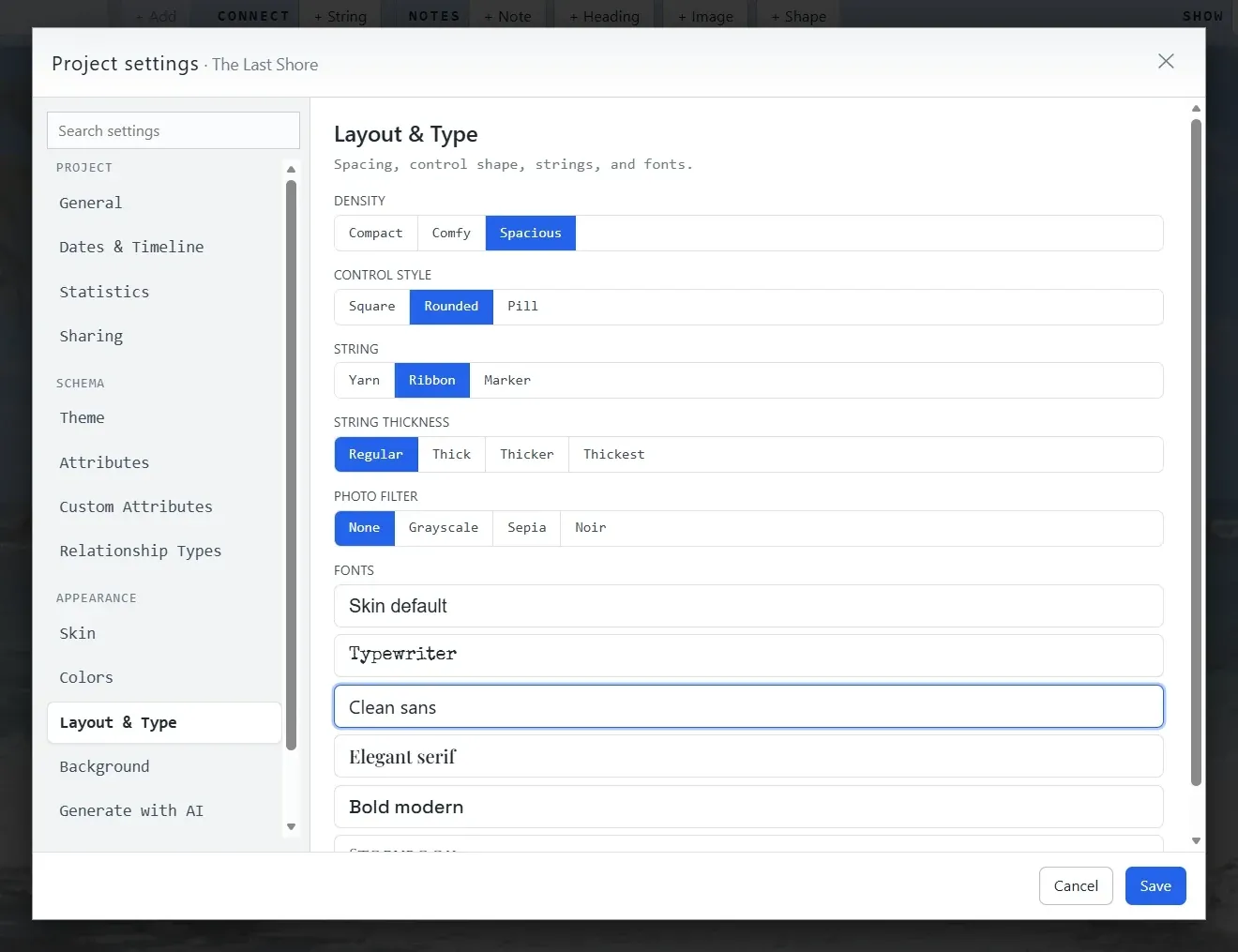
The Layout & Type panel in Project settings: toggles for density, control style, string material and thickness, photo filter, and a list of font choices including typewriter, clean sans, elegant serif, and bold modern.
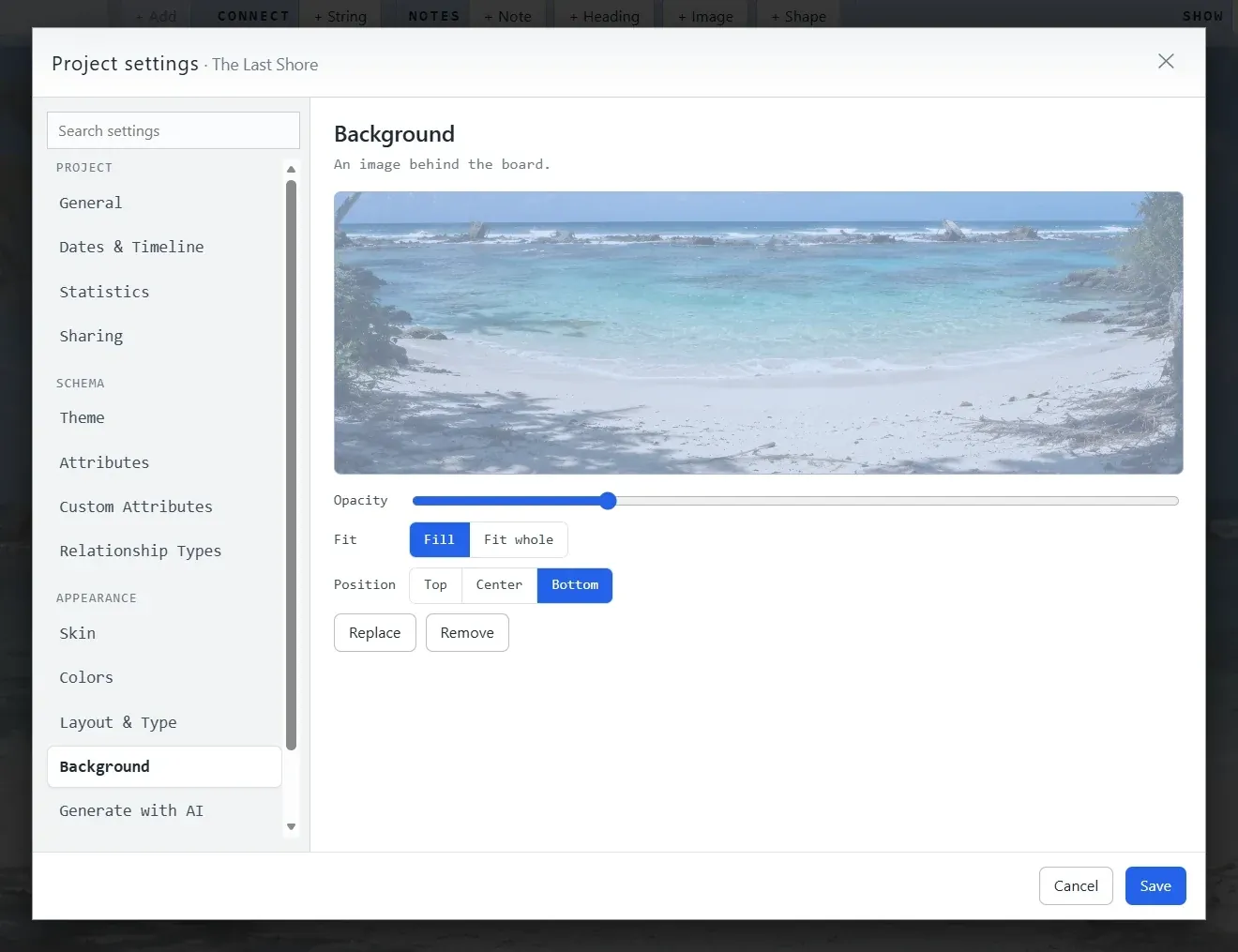
The Background panel in Project settings: a beach photograph set as the board background, with an opacity slider, fill/fit-whole toggles, a position control and Replace and Remove buttons.
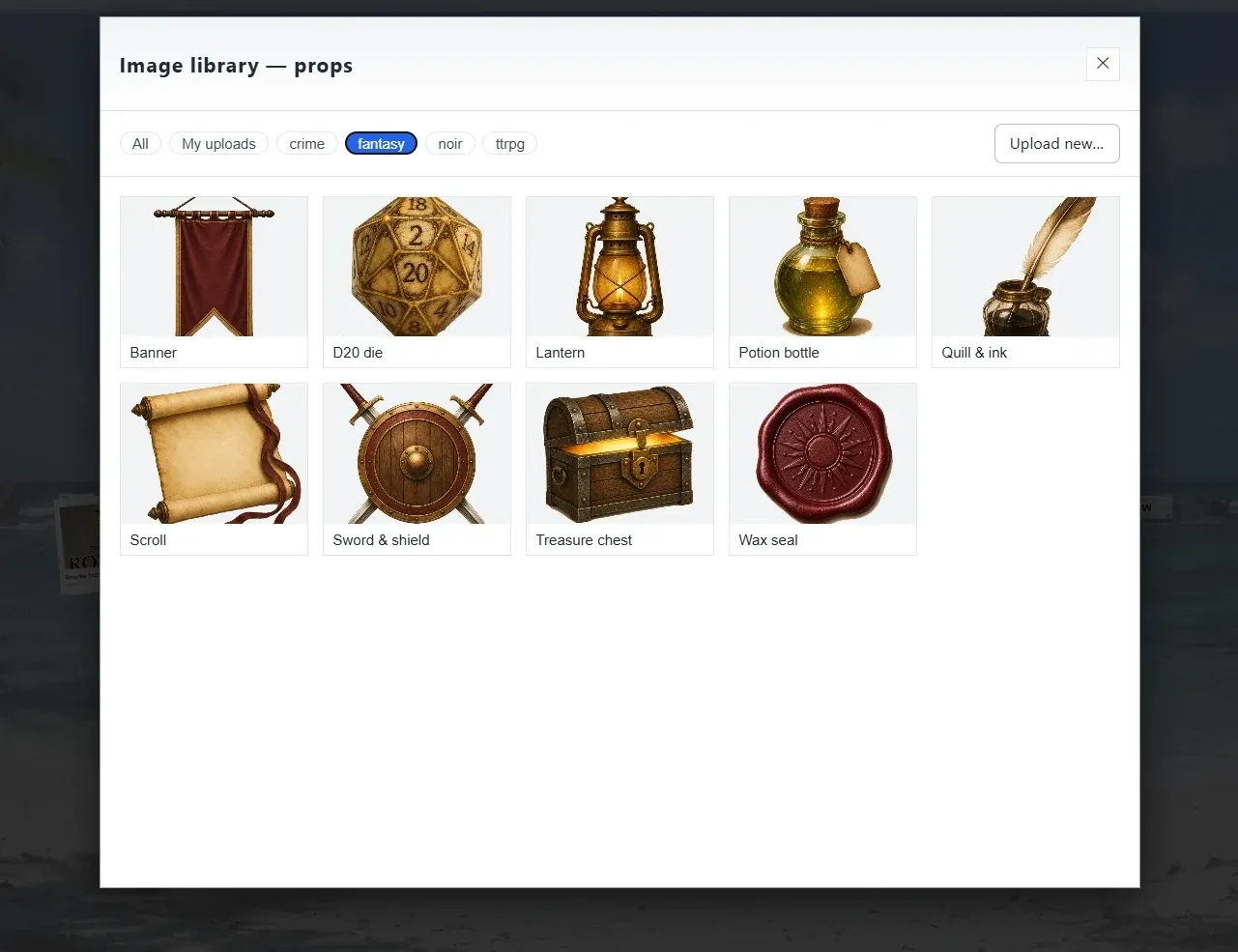
The image library’s props picker, filtered to the fantasy set: a banner, a d20 die, a lantern, a potion bottle, quill and ink, a scroll, a sword and shield, a treasure chest and a wax seal, with tabs for other sets and an Upload button.
Start from a preset (Noir, Vanilla, Parchment, or Jazz Age) and the whole board changes under the dialog as you click. Save a look you like under a name and reuse it on any project.

Extras

The small things you end up using every day, and the first things a visitor notices.

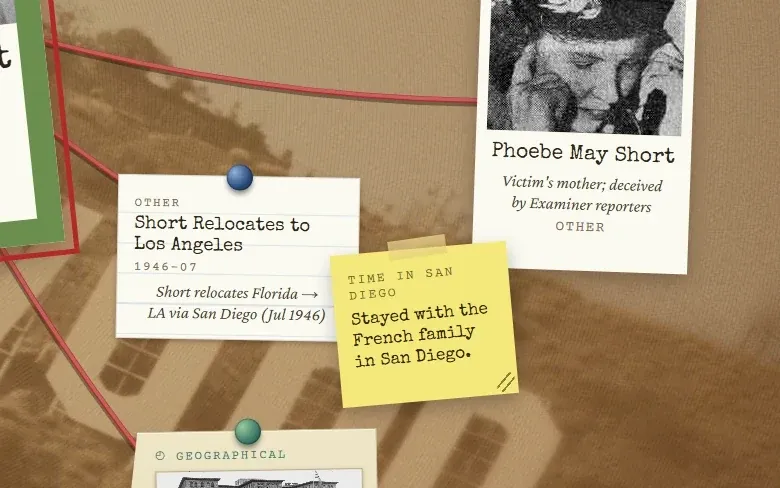
  • A corkboard close-up: a yellow sticky note reading “stayed with the French family in San Diego” pinned beside index cards.

    Sticky notes and marks

    Notes come in five papers or any color you like. Stamp a card with an ✕ for ruled out, a ? for suspicious, or a ! for important. The colors carry meaning, and you decide what it is.

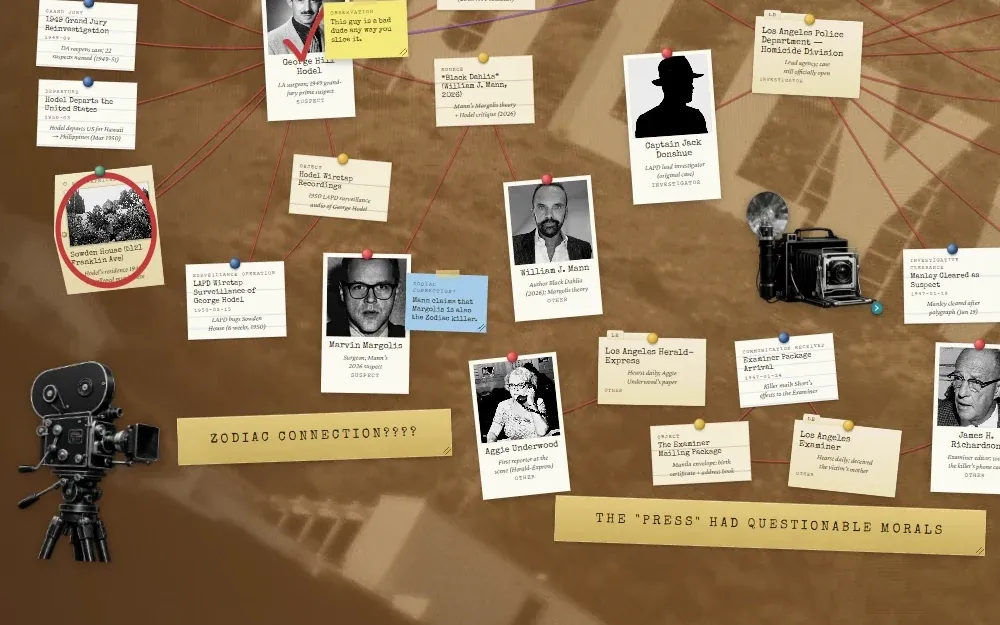
  • A corkboard with a masking-tape heading reading “ZODIAC CONNECTION????” and a vintage film camera propped at the edge of the board.

    Headings and props

    Masking-tape headings label a section of the board. Props such as a camera, a banner, or a shield can be dragged in from your image library and tucked behind the cards.

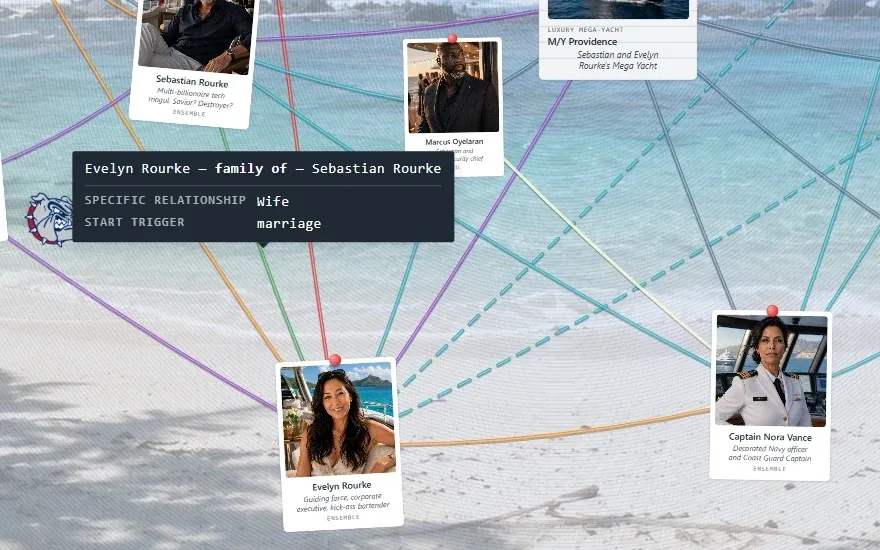
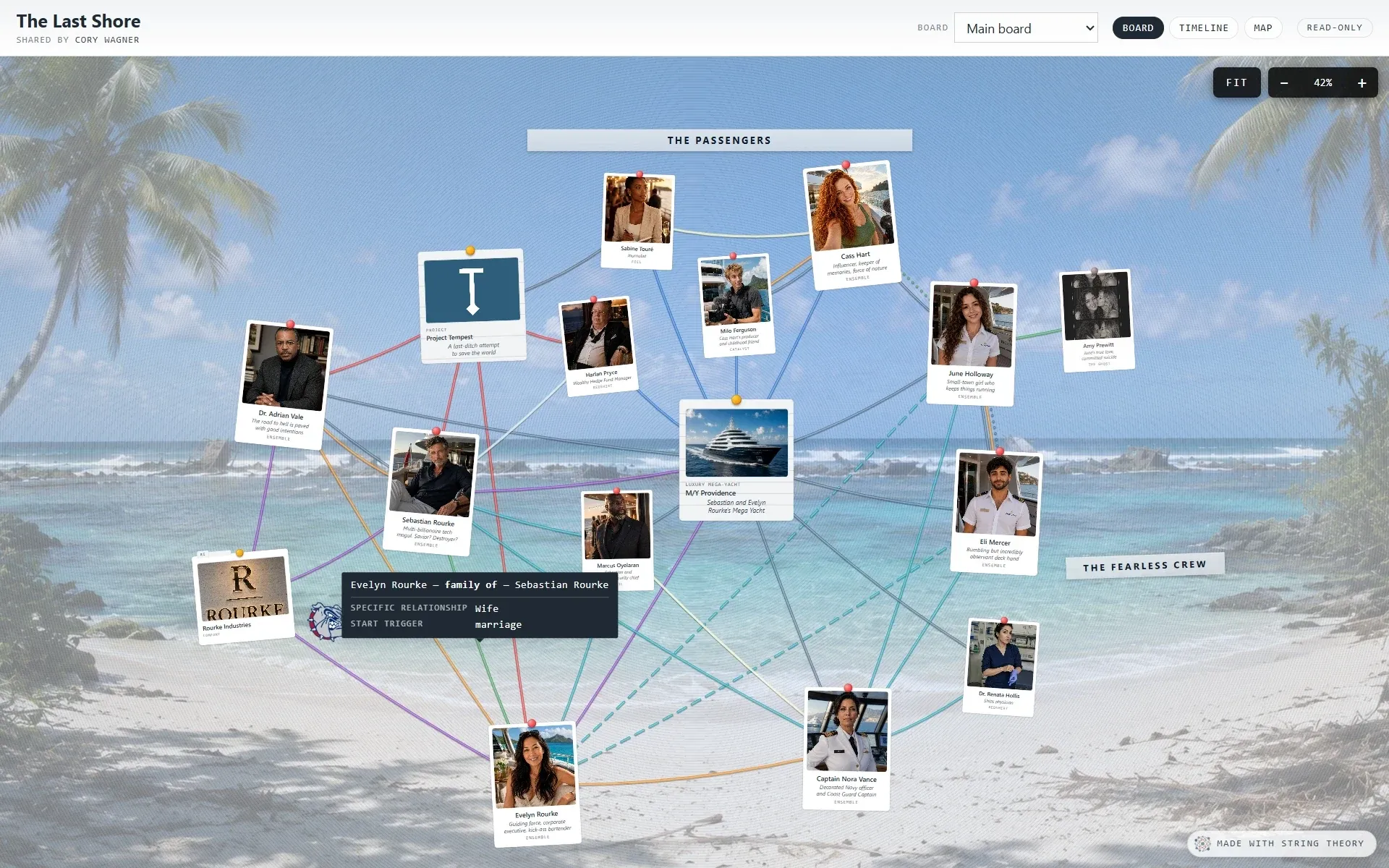
  • A board with a tooltip over a string reading “Evelyn Rourke — family of — Sebastian Rourke”, with a specific relationship of “Wife” and a start trigger of “marriage”.

    A string is more than a line

    A string can say exactly what the relationship was, why it matters, when it started and what began it, and when it ended and what ended it. Hover over it and it tells you. Mark it as over and the verb reads in the past tense everywhere.

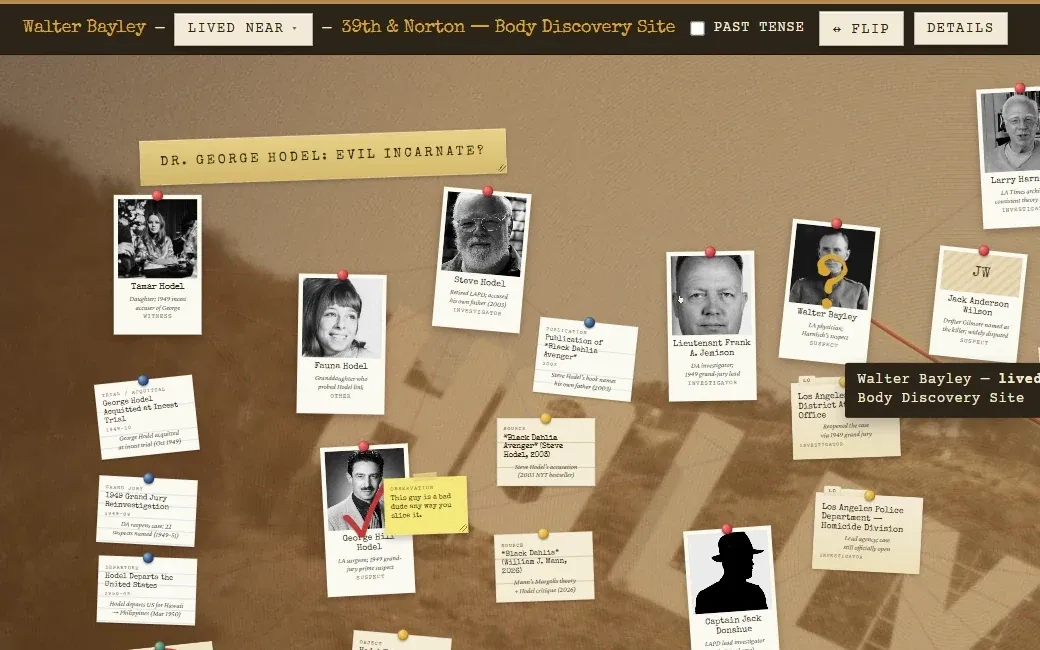
  • A selected string on a corkboard with a toolbar above it reading the two ends and the relationship “lived near”, with a past-tense checkbox, a flip button and a row of color and line-style swatches.

    Change a string where it sits

    Click a string and a small bar appears with everything about it: the kind, whether it’s over, which way it points, a color, and a line style. There is no dialog and no round trip, so you change it and keep moving.

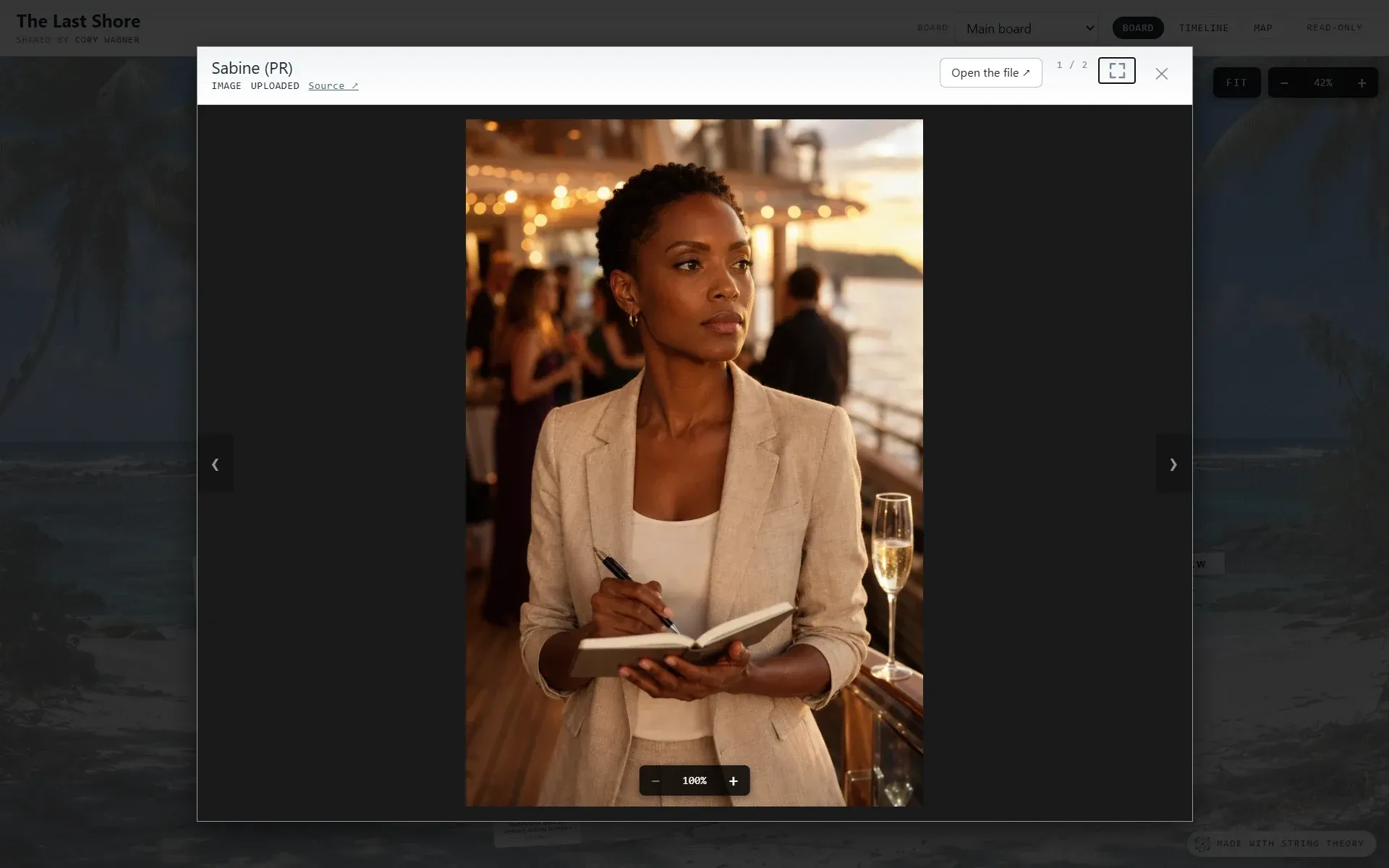
  • A photo opened in the viewer with a credit line reading “Los Angeles Examiner · University of Southern California Libraries, 1961-07-28 · Public Domain”.

    Receipts on every photo

    Credit, source, date, license, and a link back to where it came from. Fill them in once and they travel with the picture, including onto the page you share.

  • A video playing inside the media viewer, with a bookmark control in the header.

    Links and clips are media too

    Paste a YouTube video, a podcast episode, or a news article, and the thumbnail and title come along on their own. Bookmark the moment in a clip that matters and tie it to a card.

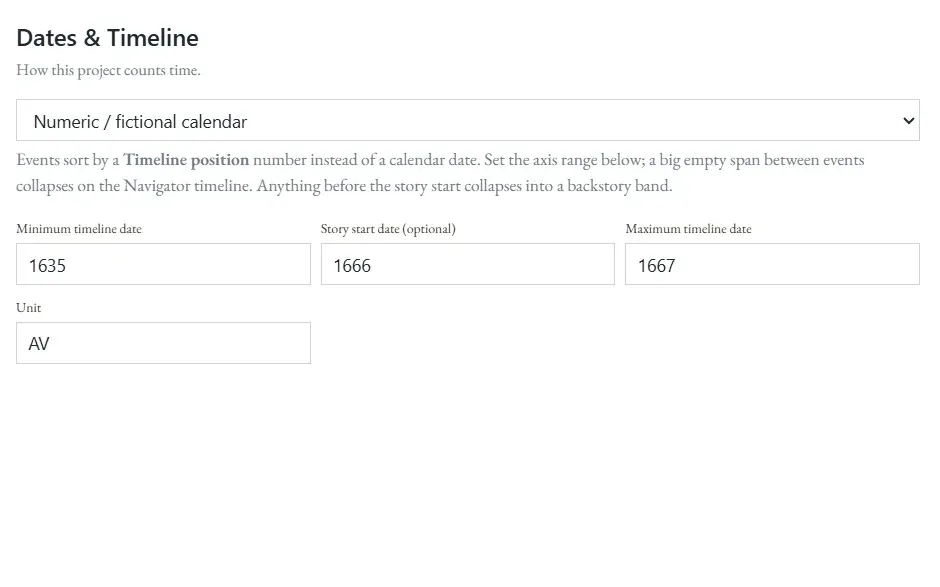
  • A settings panel headed “Dates & Timeline” set to a numeric fictional calendar, with a minimum date of 1635, a story start of 1666, a maximum of 1667 and a unit of AV.

    Your world's own calendar

    “Spring 1656” sorts after “Winter 1650” because you said so. Give the unit its own name, whether that’s AV, Stardate, or Third Age, and set where the story starts. Everything before that point folds into a backstory band.

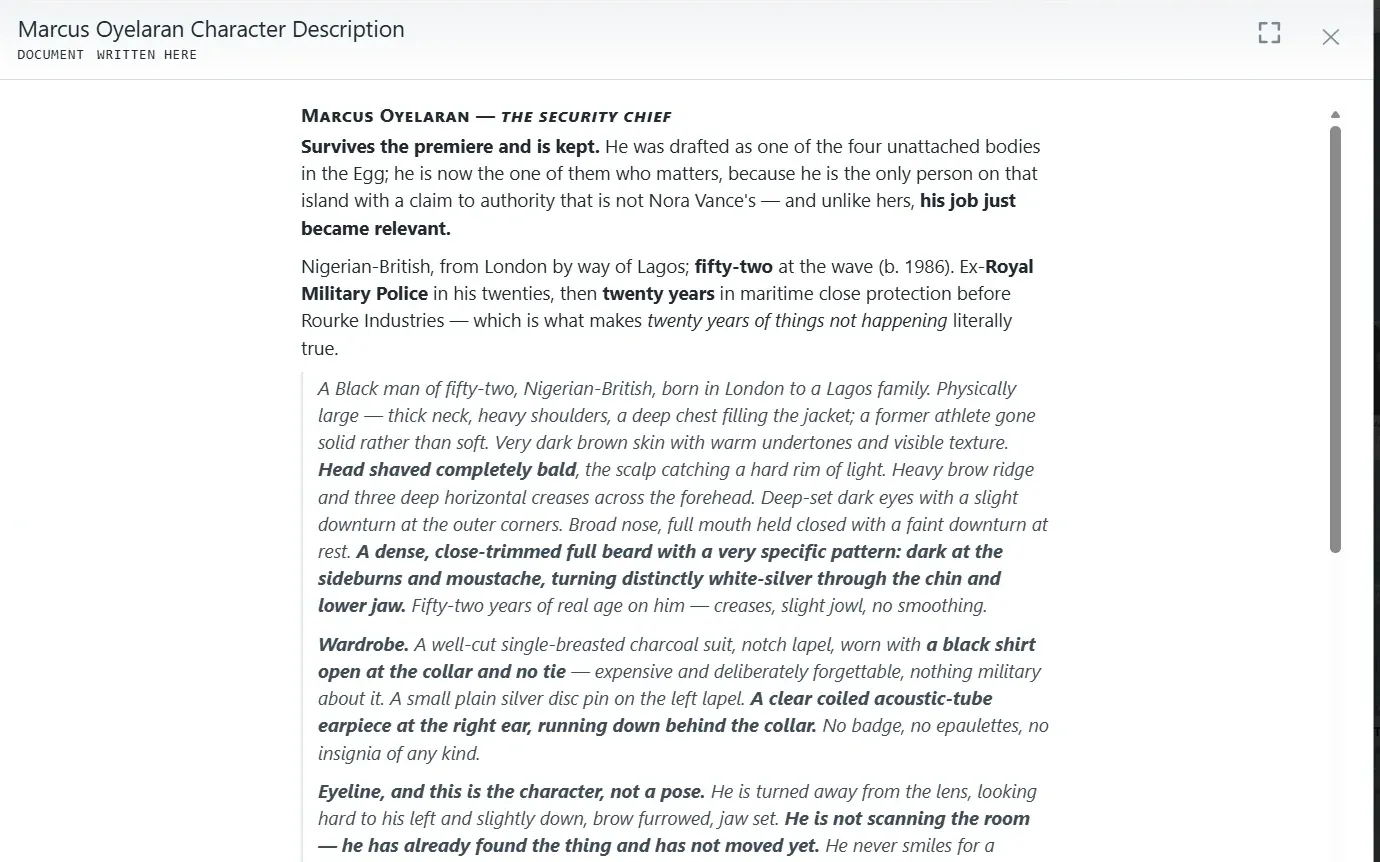
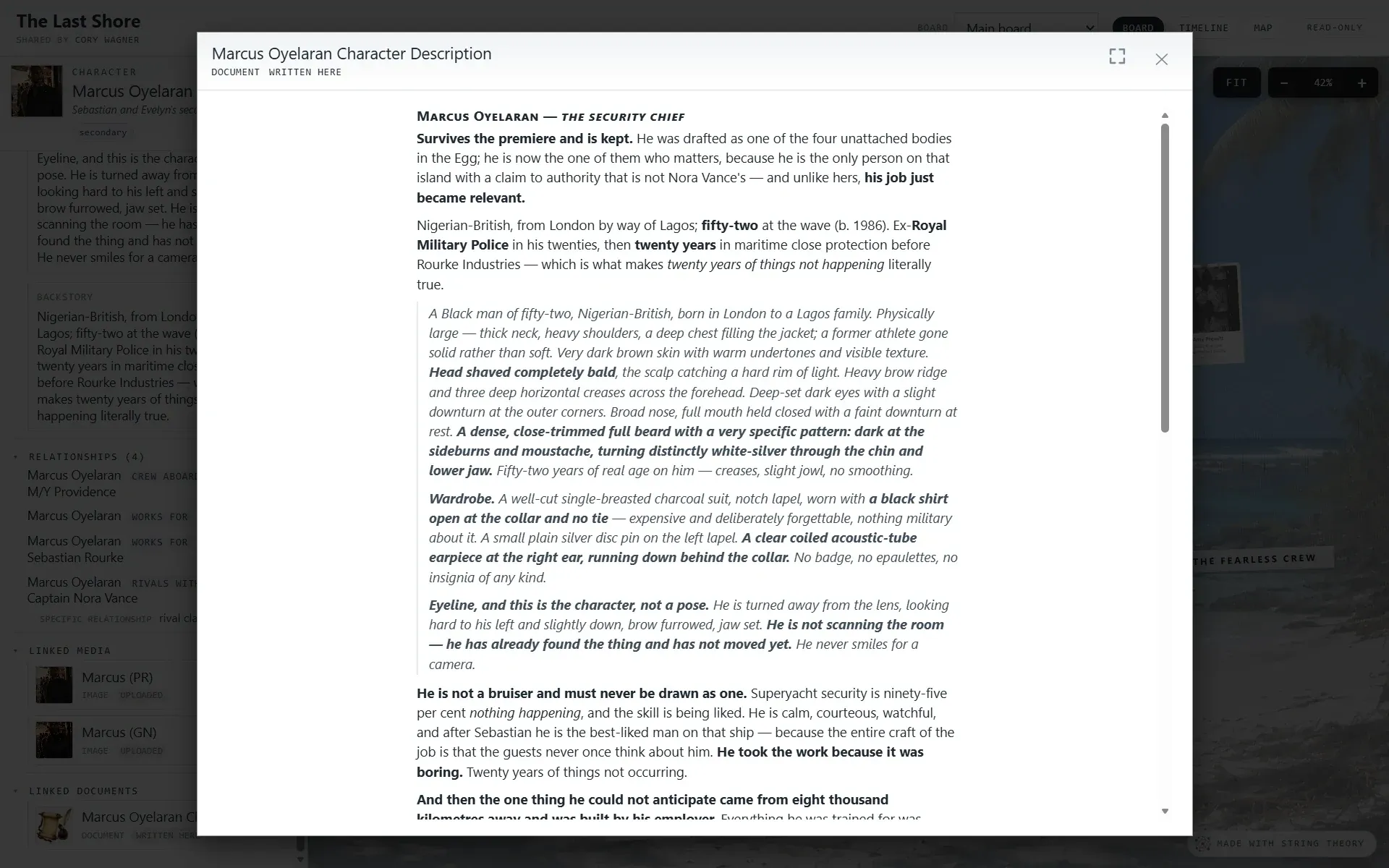
  • A written document open in the app, titled “Marcus Oyelaran Character Description”, showing several paragraphs of formatted prose.

    Write inside the board

    A character brief, a session recap, or a summary of a source can be written in the app and kept with the card it belongs to, where anyone you share the board with can read it.

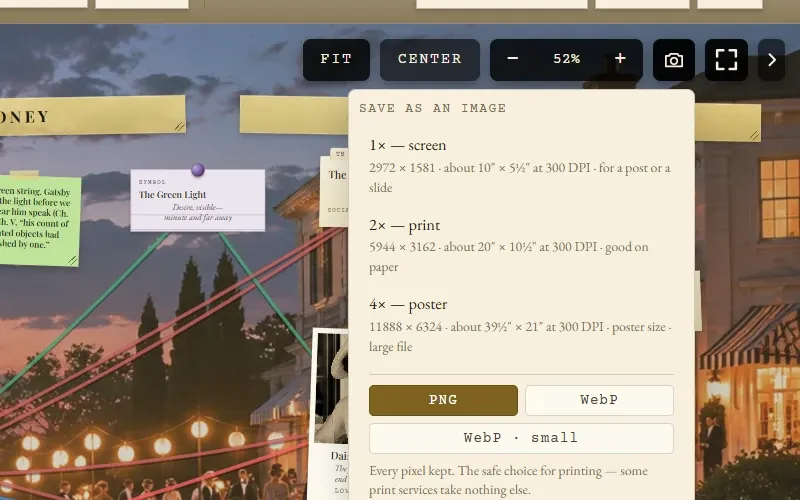
  • The Save as an image panel open over a corkboard: three sizes, 1× screen, 2× print, and 4× poster, each with its pixel dimensions and size in inches at 300 DPI, and a format choice of PNG, WebP, or WebP small.

    Save the whole wall as an image

    A camera button on the board saves the entire wall rather than the part on screen, at screen, print, or poster size, and it tells you the pixel count and the print inches before you click. Pick PNG for the print shop, or WebP for a file a fraction of the size.

  • A street map of downtown Los Angeles with a pin for the Millennium Biltmore Hotel and a callout showing a photograph, its address, and a note about the case.
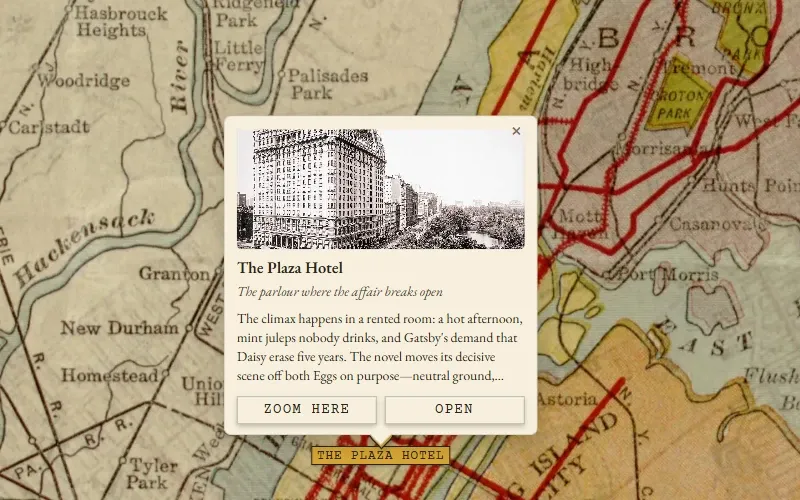
    A 1920s map of Manhattan and the Hudson used as the basemap, with a pin for the Plaza Hotel and a callout showing a photograph of the hotel and a note on the scene set there.
    A street map, pinned by coordinates

    A real map, or your own

    Drop a place onto a street map by its coordinates, or swap the basemap for an image you upload, such as a floor plan, a hand-drawn world, or a period map of the city, and pin onto that instead.

Better together.

The board is better with people on it.

The string board isn't only a visual metaphor. It's a social one, because when two people work on the same case, you see each other on the board. Drag a string while they're watching and they see it draw across their screen. Drop a sticky note for them to find when they sign in. Argue about who did it.

That could be a family on murder-mystery night, a podcast team prepping an episode, a classroom working through a novel, or a GM and their players exploring a campaign world between sessions. String Theory is built around the idea that the best research is the kind you do with someone.

Show your work.

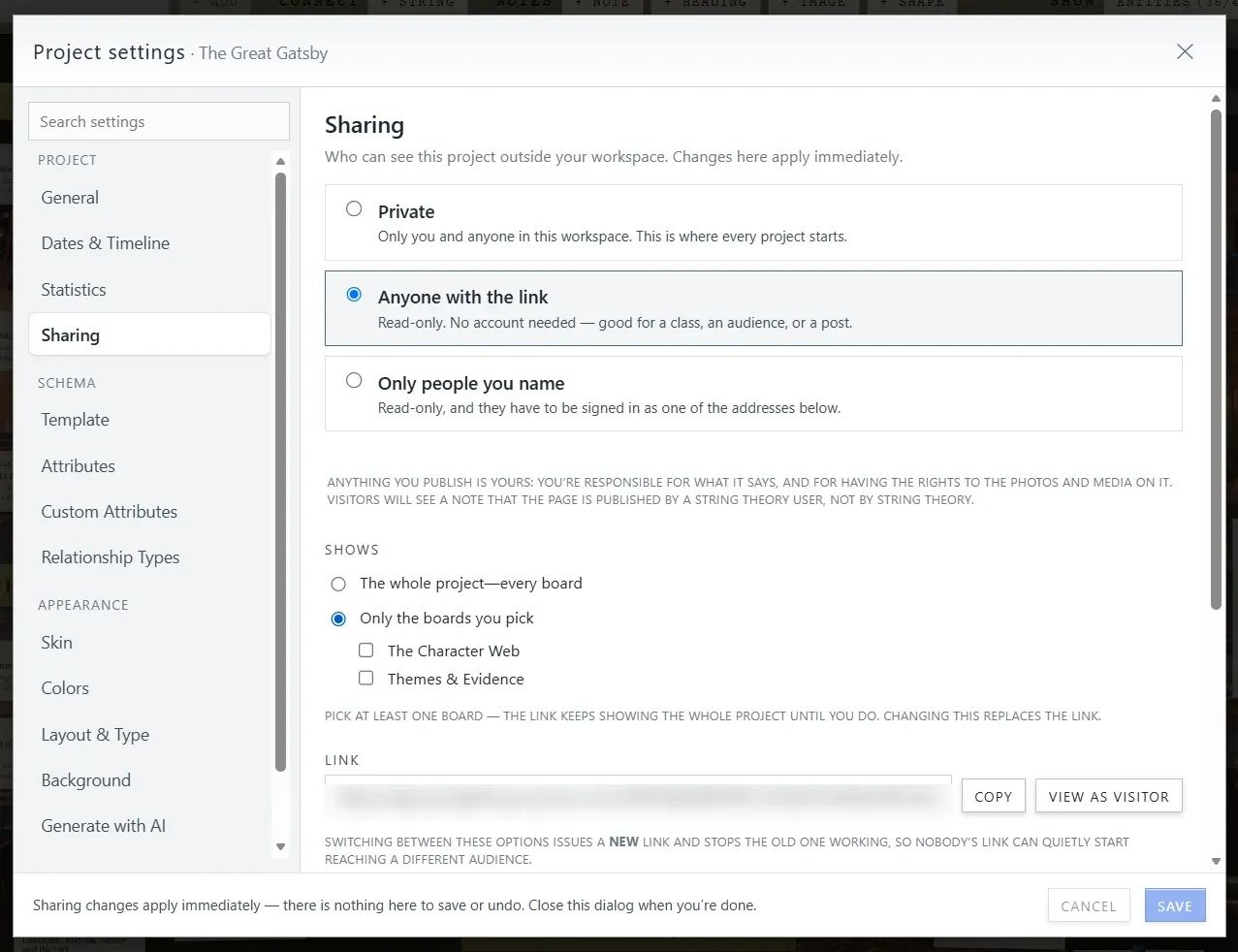
Private until you publish. Shareable when you're proud.

Plans & pricing

Free to start, and fair when you're ready.

String Theory is in invite-only early access, and early access is free. These are the prices that take effect at public launch. Early users will never be charged without opting in.

Free

Everything you need to build and share a real case.

$0 forever

  • 2 projects
  • 250 entities
  • 500 MB media storage
  • All six views, all skins, full editing
  • Publish a link anyone can open. Shared boards are read-only: visitors explore, never edit
  • Shared boards carry a small “Made with String Theory” mark
Apply for early access

Group

For the podcast team, the family, the co-GMs.

$7 per seat / month

2-seat minimum ($14/mo), up to 6 seats

  • 100 projects per seat, pooled
  • 5,000 entities per seat, pooled
  • 10 GB media per seat, pooled
  • Everything in Personal, plus:
  • Real co-editing: every seat works live on the same boards (editing means a seat, never a share link)
Apply for early access

Teachers: a Classroom plan (about $99/year per classroom, students included) is planned. Get in touch if that’s you.

Machine-readable pricing (for AI agents)

About

I'm Cory: a developer by trade, an English Literature graduate, a serious history buff, a tabletop RPG player, and a true-crime enthusiast. Pretty much everything I do for fun involves the same thing, which is tracking people, places, events, and how they all connect, whether that's mapping a novel's characters, prepping a campaign, untangling the Chernobyl disaster, or following a cold case.

The existing tools are either locked to one specific domain or feel like work. I wanted one that worked for all of them and felt like play. So I'm building it.

And using it. One of my own boards maps out a whole volume of a graphic novel I'm planning: the cast, the locations, who knows what and when. It's the best test I have. If the tool can't hold that together, it isn't finished.