
A discography is a web, not a list
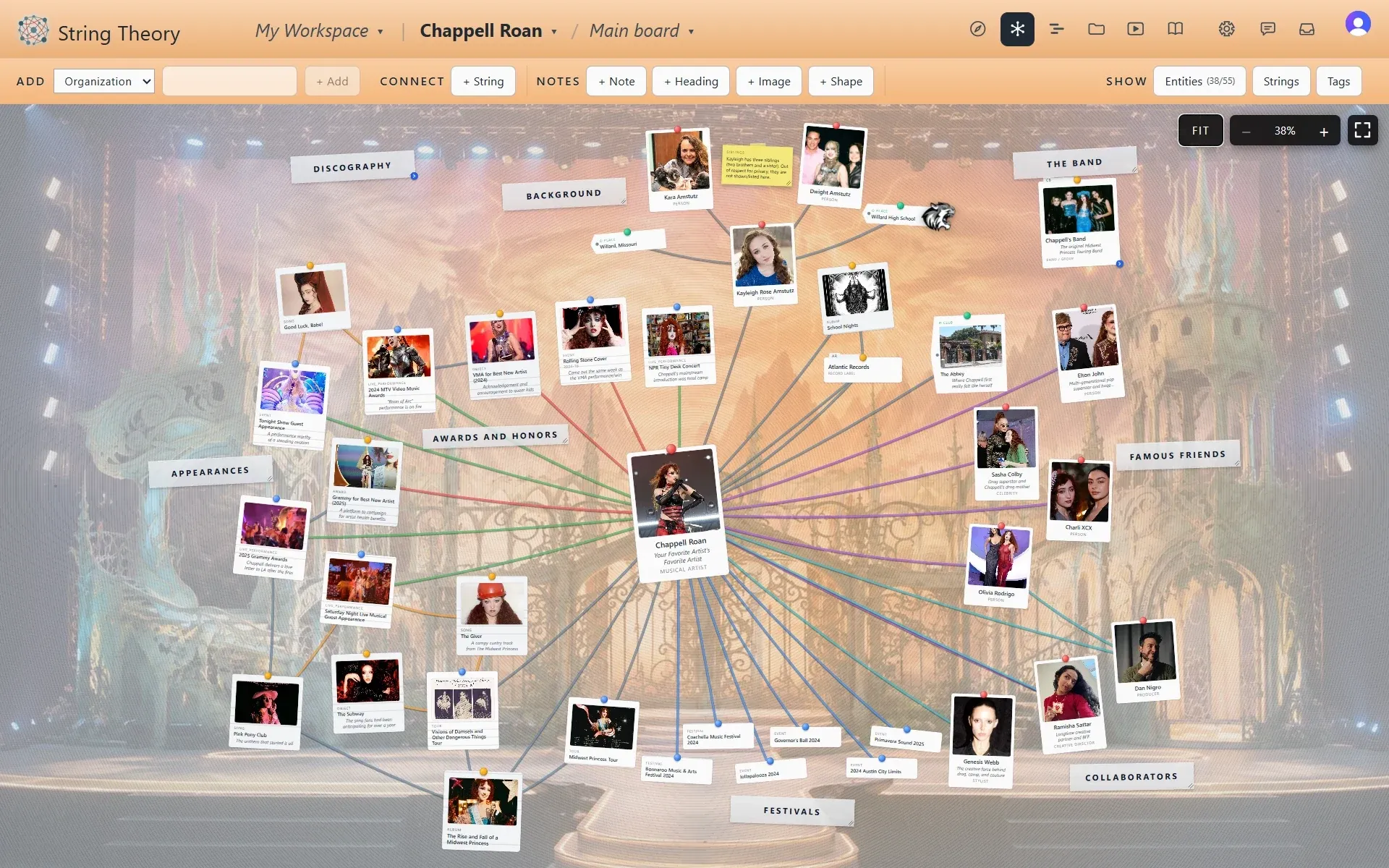
A streaming service shows you a list of albums, and that is about all it shows you. An artist’s world is really a web: the producer who shaped the sound, the co-writer on the song that broke through, the festival set that changed everything, the band members across eras, the award and the performance that won it. The Musical Artist template maps that web, and its strings speak the language of music. A string can say writes, produces, features, headlines, supports, or available on.
Songs, albums, tours, and awards are cards
On this template the objects are albums, songs, and awards, each with a release date, a chart peak, and a streaming link. The events are tours, concerts, festival sets, TV performances, and interviews, with venues and set lists. Because every one of them carries a date, the Timeline view turns a career into a story you can scroll: the years of open mics, the record that stalled, the set that didn’t.
The band gets its own board
A serious fan board eventually drowns its own center in detail. Breakout boards fix that. The Band card carries a small chevron, and one click opens a board of its own for the members, their instruments, the eras, and the departures. A tour can get a board of its own, and so can an album’s sessions. The main board stays the map, and the breakouts hold the depth.
Built to be shown
The media gallery holds the clips, the photos, and the interviews, each with its source and credit attached, so the board holds up as an archive rather than a pile. When it’s ready, publish it as a read-only link and send it to the group chat that has been asking.
Your first board in 15 minutes
- Create a project and pick Musical Artist.
- Add the artist, their current album, and the song you’d play someone first.
- String them: the song is available on the album, and the artist writes the song.
- Add one collaborator, a producer or a co-writer, and the string that says which.
- Paste a YouTube link to the performance that made you a fan and attach it to the song.
- Open the Timeline and add release dates. The career takes shape on its own.
What it isn’t
A fan board is a fan’s own work. It isn’t an official page, and it doesn’t pull discographies or stats from anywhere automatically. You build it yourself, which is rather the point. There is no template yet for actors or comedians, though one is on the wish list. This one speaks music.